Introducing Notifications

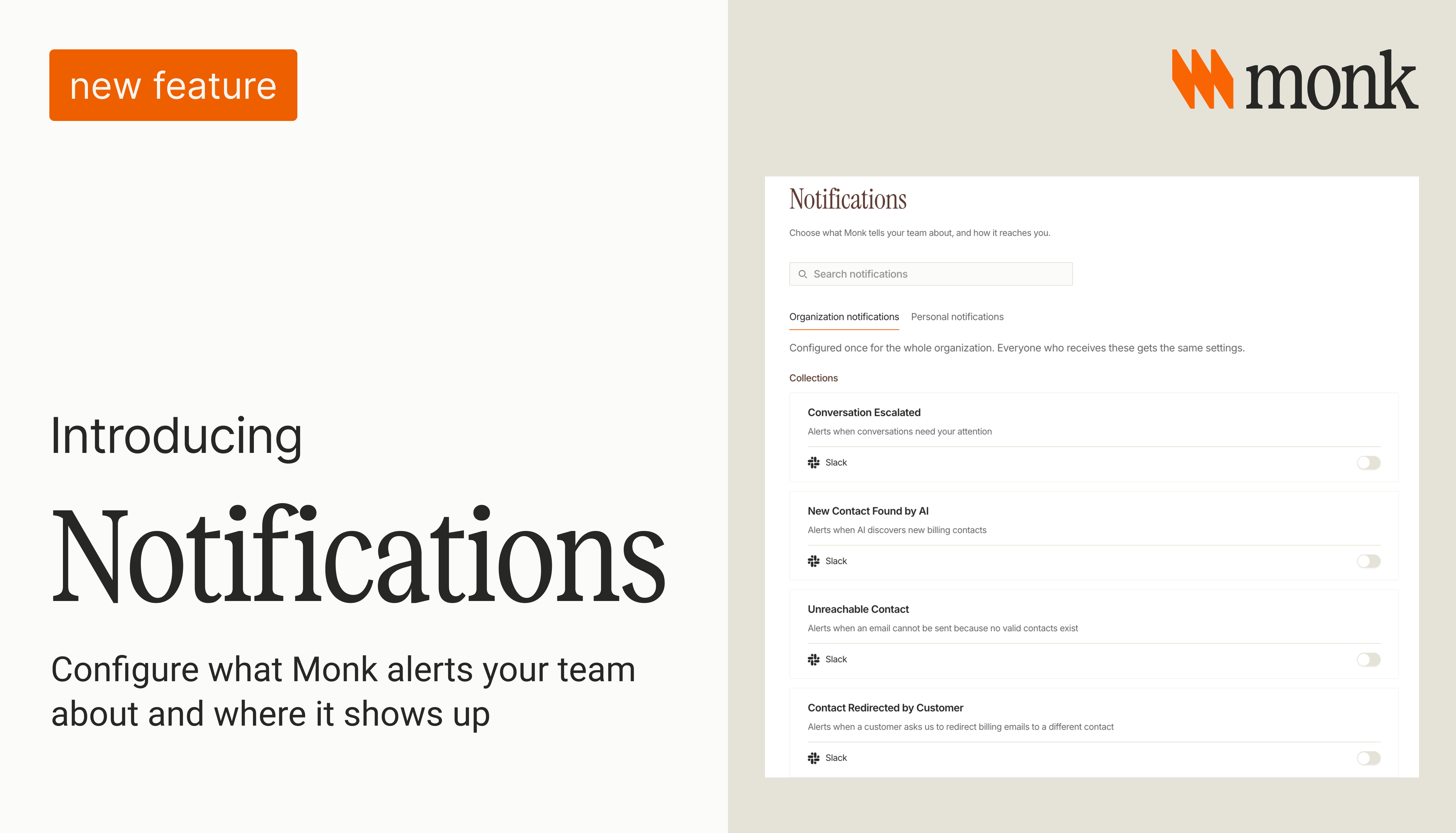
A finance team can automate much of its AR work and still spend time opening the platform to check whether anything needs attention. Someone looks through conversations between meetings or returns to an account because they are waiting for an update.
An escalated collections conversation needs a person to review it. The information is in Monk, but the team responsible for picking it up may be coordinating in Slack or working through email. They need a way to hear about it without repeatedly opening the app.
We shipped notifications in Monk to help with that handoff. Customers can now choose which platform activity their team gets alerted about and receive updates in Slack or email, depending on the notification type.
Why we built this
Monk’s agents handle much of the routine AR work on their own. Your team still needs visibility, especially when something reaches a point that requires review.
Checking the platform is one way to get that visibility, but it takes time even when there is nothing new to act on. As more work runs through Monk, reviewing activity just to find the items that need a person becomes less practical.
Notifications bring selected updates to your team. They can then open Monk to review the relevant work with the context already available in the platform.
Some updates are informational. Your organization can decide which activity it wants to hear about without needing to intervene in everything the agents handle.
Configure once for your team
Organization notifications use shared settings. Configure them once, and everyone receiving those notifications gets the same setup.
Each notification has its own toggle, so you can enable the updates your team needs and leave the rest off. Supported delivery options appear under each notification.
For teams working in Slack, this brings Monk activity into a place they already use to coordinate. Email is also available for supported notification types. The review stays in Monk, where your team can work through the details.
Start with the activity people already check for manually. There is no need to turn on every notification or build a new process around them.
Available now
Notifications are now live in Monk. Open the Notifications page and select Organization notifications to configure your team’s alerts.
You can adjust the setup as your team uses it. To see Monk working with your own AR process, book a demo.
Frequently Asked Questions
How do I set up notifications on Monk?
Go to Settings and open the Notifications page. Organization notifications are configured once for the whole team. Toggle each alert type on or off, choose Slack or email, and pick the channels or recipients.
Can individual team members customize their own notifications?
Yes. The Notifications page has two tabs: Organization notifications and Personal notifications. Organization settings apply to everyone. Personal settings let individuals adjust what they receive without affecting the rest of the team.
Can I send different alerts to different Slack channels?
Yes. Each notification type has its own channel configuration. Route transaction reviews to your finance-ops channel, escalations to your collections channel, and so on. Monk needs to be a member of any channel you select.
How often are notifications sent?
It depends on the type. Some fire in real time when the event occurs, like Conversation Escalated. Others are summaries with a configurable frequency, like Transactions to Review, which can be set to every weekday. Weekly Digest sends once on Mondays.





.avif)