How to Stop Manually Matching Payments: Cash Application Automation

Cash application automation uses artificial intelligence and machine learning to match incoming payments to outstanding invoices without manual intervention, reducing processing time from hours to minutes while improving matching accuracy. Finance teams using automated cash application typically experience faster cash flow and reduced processing costs.
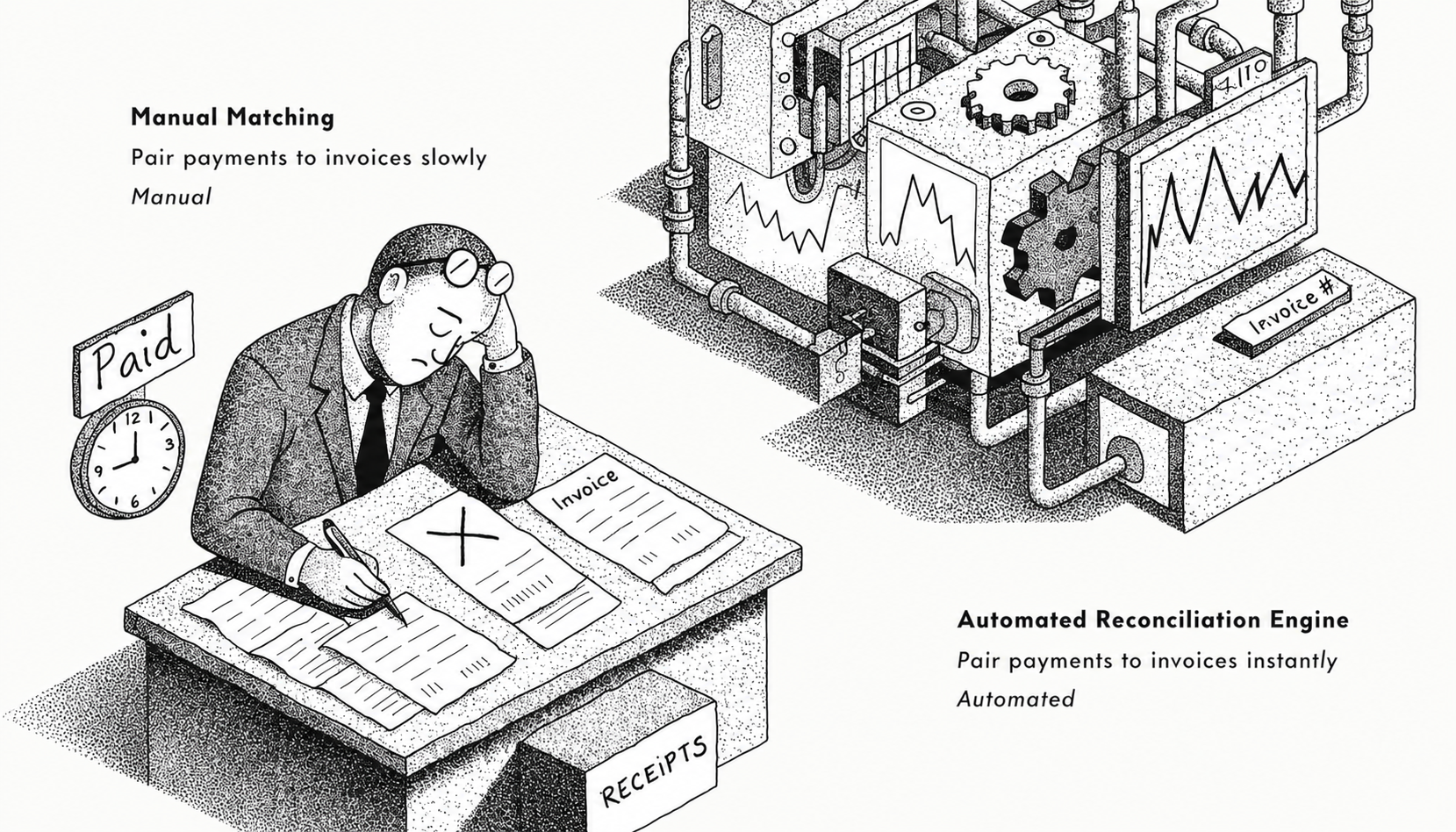
Manual payment matching creates a bottleneck in accounts receivable that extends far beyond the time your team spends staring at spreadsheets. Every hour spent reconciling payments is an hour not spent on strategic collections, customer relationships, or cash flow optimization. For mid-market companies processing hundreds or thousands of payments monthly, this compounds into a significant drag on working capital and team productivity.
What is Cash Application Automation?
Cash application automation is software that automatically matches incoming payments to open invoices in your accounting system using AI-powered matching algorithms, optical character recognition (OCR), and remittance data parsing. The technology reads payment information from multiple sources including bank files, lockbox data, credit card processors, and email remittances, then applies these payments to the correct invoices without human review.
Modern cash application systems handle complex matching scenarios that traditionally required manual intervention. This includes partial payments, payment on account, multi-invoice payments, early payment discounts, and unapplied cash. The software learns from your customer payment patterns and continuously improves matching accuracy over time.
Why Manual Payment Matching is Costing Your Business More Than You Think
The true cost of manual cash application extends beyond labor hours. When your AR team manually matches payments, you're accepting a cascade of inefficiencies that impact your entire organization.
Labor costs accumulate quickly. A typical AR specialist spends significant hours daily on cash application, matching dozens or hundreds of payments depending on complexity. Companies processing high monthly payment volumes often allocate multiple full-time employees solely to payment matching. This represents substantial direct costs before accounting for benefits, overhead, or opportunity cost.
Error rates undermine accuracy. Manual matching introduces errors even with experienced staff. These errors manifest as misapplied payments, duplicate entries, or missed discounts. Each error requires additional time to identify and correct, creating rework cycles that further drain productivity. More critically, payment misapplication damages customer relationships when disputes arise over account balances or applied credits.
Delayed cash visibility impacts decisions. Manual processes create lag time between payment receipt and application, often extending across multiple business days for complex cases. This delay obscures real-time cash positions, making it difficult for treasury and finance teams to make informed decisions about investments, debt payments, or operational spending. Companies with delayed cash application often carry higher cash reserves as a buffer against uncertainty.
Scaling becomes prohibitively expensive. As transaction volume grows, manual processes scale linearly with headcount. Growth in payment volume requires proportionally more staff or overtime hours. This makes expansion expensive and creates hiring pressure when resources are already stretched.
How Cash Application Automation Works
Cash application automation follows a systematic workflow that mirrors human decision-making but executes at machine speed with greater consistency.
Payment data ingestion happens automatically. The system connects to all payment sources including bank portals, lockbox services, payment gateways, and email inboxes. It retrieves payment files and extracts remittance information using OCR for scanned documents. This automated retrieval eliminates the manual downloading and consolidation that typically starts each day.
Intelligent matching algorithms identify the right invoices. The software compares payment amounts, dates, and remittance details against open invoices using multiple matching strategies. Exact amount matching handles straightforward cases where payment equals invoice total. Algorithm-based matching uses weighted scoring across multiple data points (customer ID, invoice numbers, purchase orders, amounts) to identify the most probable match for complex payments. The system often handles tolerance ranges for minor discrepancies like rounding differences or bank fees.
Exception handling routes edge cases appropriately. Payments the system cannot match with high confidence route to an exception queue for human review. Modern systems present these exceptions with suggested matches and relevant context, reducing review time substantially compared to matching from scratch. Common exceptions include payments without remittance data, payment on account, or payments combining multiple invoices with adjustments.
Real-time posting updates your accounting system. Successfully matched payments post automatically to your ERP or accounting platform through API integrations or direct database writes. The system maintains a detailed audit trail showing matching logic, timestamps, and any manual interventions. This creates transparency for internal audits and compliance reviews.
Key Features to Look for in Cash Application Software
Not all cash application solutions deliver the same results. Prioritize these capabilities when evaluating options.
Multi-channel payment capture ensures the system handles all payment types your customers use. This includes ACH, wire transfers, checks, credit cards, and virtual cards. The software should ingest remittance data from lockboxes, email attachments (PDFs and Excel), and customer portals. Comprehensive capture eliminates gaps that force manual intervention for specific payment types.
Machine learning-driven matching improves accuracy over time by learning from your specific customer payment patterns. Rules can be created to determine which remittance fields are most predictive for your customers and adjust matching weights accordingly. This adaptive capability separates basic rules-based systems from true AI-powered solutions.
Configurable matching rules let you define business logic for your unique processes. You should be able to set tolerance ranges for amount variances, establish approval thresholds for auto-posting, and create custom workflows for specific customers or payment types. This flexibility ensures the system adapts to your business rather than forcing you to change processes.
Seamless ERP integration is non-negotiable for automated posting. The system must read invoice data and write payment applications natively within your accounting platform, whether that's NetSuite, Sage Intacct, QuickBooks, Microsoft Dynamics, or SAP. API-based integrations are preferable to file-based imports for real-time processing.
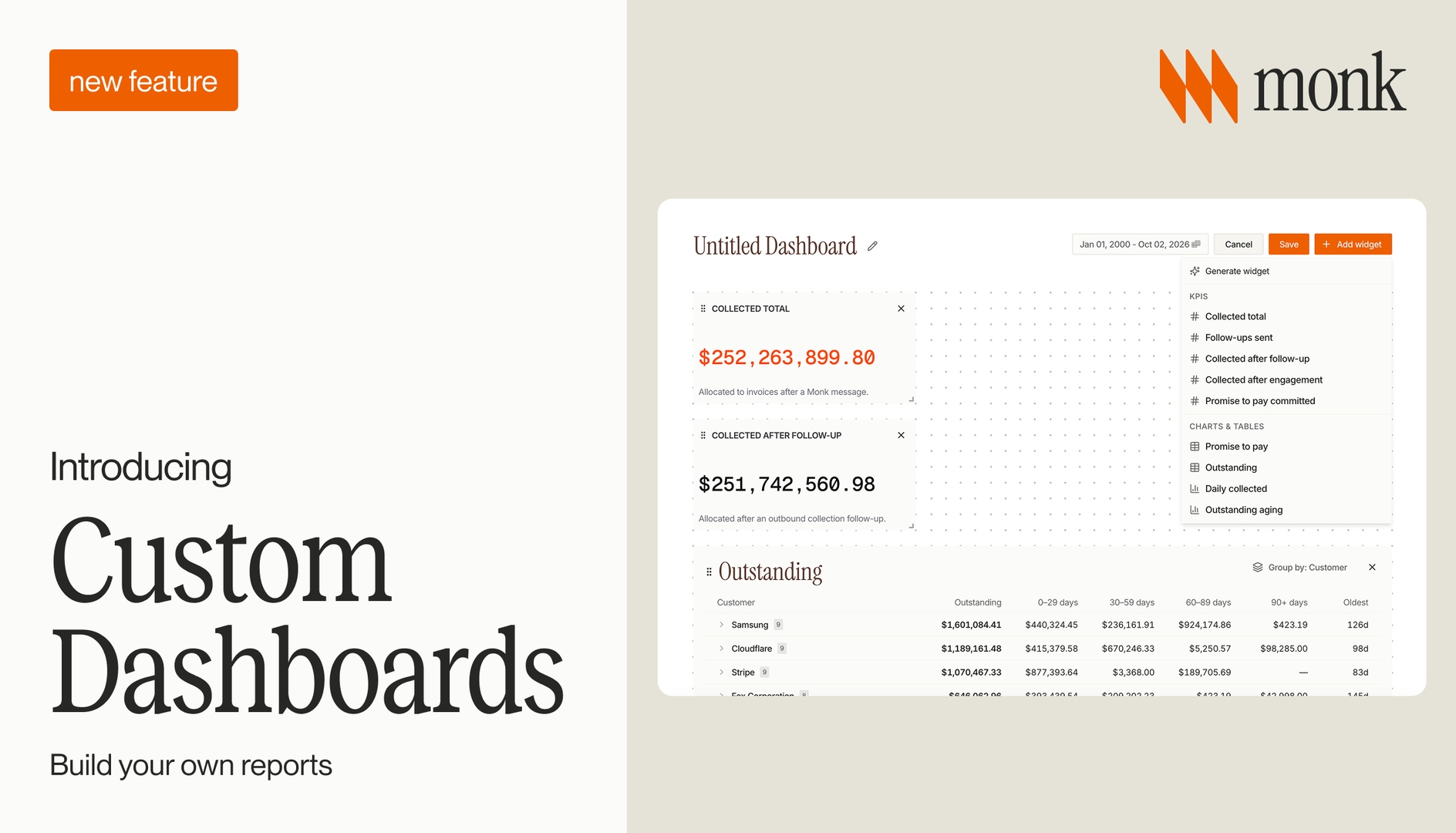
Robust reporting and analytics provide visibility into cash application performance. Track metrics like auto-match rates, exception volumes, processing time per payment, and average time to apply. These insights help you identify improvement opportunities and quantify ROI.
Monk's cash application automation achieves high straight-through processing rates by combining AI-powered matching with comprehensive remittance capture. The platform integrates with major ERPs and payment channels, automatically applying payments to invoices within minutes of receipt. Monk's system continuously improves matching accuracy while providing detailed analytics on cash flow and payment trends.
What Results Can You Expect From Automating Cash Application?
Companies implementing cash application automation report measurable improvements across multiple financial metrics within the first several months.
Processing time drops dramatically. Organizations typically reduce cash application time substantially, moving from hours or days to minutes. A company processing hundreds of monthly payments that previously required many hours of staff time can complete the same work much faster, freeing capacity for strategic AR activities like collections and customer credit management.
Matching accuracy improves significantly. Automated systems achieve high accuracy rates, reducing errors, rework, and improving customer relationships. The audit trail automation provides also simplifies month-end close and compliance requirements.
DSO decreases through faster application. Reducing payment-to-application time from multiple days to under an hour provides immediate cash visibility. Finance teams can pursue collections more effectively when they know which customers have actually paid versus which payments are still in processing. This acceleration typically reduces DSO.
Staff redeploys to higher-value work. Rather than eliminating positions, most companies redeploy freed capacity to strategic initiatives. AR teams shift focus to high-value collections activities, customer payment experience improvements, and dispute resolution. This repositioning improves both cash flow outcomes and employee satisfaction by removing repetitive manual tasks.
Scalability becomes cost-effective. Automated cash application grows with transaction volume without proportional headcount increases. A system handling moderate monthly payment volumes can typically scale to much higher volumes with minimal additional cost or staffing, making growth financially sustainable.
Common Challenges When Implementing Cash Application Automation
Understanding implementation obstacles helps you avoid common pitfalls that delay time-to-value.
Data quality issues represent the most frequent roadblock. Automation depends on consistent, accurate data from payment sources and accounting systems. Incomplete customer records, inconsistent invoice numbering, or poorly formatted remittance data reduce matching rates. Address these issues before implementation by cleaning customer master data, standardizing invoice formats, and working with banks to improve remittance capture.
Change management resistance occurs when staff feel threatened by automation. AR teams may worry about job security or resist learning new systems. Combat this by emphasizing how automation eliminates tedious work and creates opportunities for more strategic responsibilities. Involve key team members in vendor selection and implementation planning to build ownership.
Integration complexity varies by ERP platform. Modern cloud-based accounting systems typically offer straightforward API integrations, while legacy on-premise systems may require custom development or middleware. Budget adequate time and resources for integration work, and ensure your automation vendor has proven experience with your specific accounting platform.
Exception handling workflow design requires thoughtful planning. Define clear escalation paths, approval authorities, and resolution procedures for exceptions before going live. An inefficient exception process negates many automation benefits, so treat this as a critical implementation component.
Incomplete remittance data from customers remains a challenge even with automation. When customers pay without including invoice details, even sophisticated AI struggles to match with certainty. Address this proactively by educating customers on proper payment procedures, adding invoice numbers to statements, and considering incentives for electronic payments with complete remittance data.
How to Choose the Right Cash Application Automation Solution
Selecting the wrong solution wastes time and money while delivering disappointing results. Use these criteria to evaluate vendors effectively.
Assess matching algorithm sophistication. Request demonstrations using your actual payment data, including your most challenging matching scenarios. Evaluate how the system handles partial payments, payment on account, multi-invoice payments, and payments with incomplete remittance data. Ask about machine learning capabilities and how the system improves over time.
Verify ERP compatibility and integration depth. Confirm the vendor has pre-built integrations for your specific accounting platform and version. Understand whether integration is API-based or file-based, and clarify what data synchronizes in real-time versus batch processes. Request customer references using your same ERP to learn about actual integration experience.
Evaluate total cost of ownership. Look beyond subscription fees to implementation costs, integration expenses, and ongoing maintenance requirements. Understand pricing models (per-transaction, per-user, or flat-rate) and how costs scale with transaction volume. Factor in internal IT resources required for setup and administration.
Consider vendor expertise in your industry. Some cash application solutions specialize in specific verticals like manufacturing, distribution, or professional services. Industry-specific solutions often include pre-configured matching rules and workflows that accelerate implementation and improve outcomes.
Review customer support and training resources. Implementation success depends on effective training and responsive support. Evaluate the vendor's onboarding process, ongoing training options, and support availability. Request documentation samples and access to knowledge bases during evaluation.
Monk provides cash application automation built specifically for B2B companies with complex AR processes. The platform handles multi-entity environments, multiple currencies, and intricate payment scenarios while maintaining the simplicity needed for fast implementation. Monk's customer success team provides hands-on support through implementation and ongoing optimization, ensuring you achieve target matching rates quickly.
What is the ROI of Cash Application Automation?
Calculate expected returns using your specific transaction volumes and labor costs to build a compelling business case.
Labor cost savings provide the most direct ROI. Organizations can significantly reduce the time spent on manual cash application tasks. For operations processing thousands of monthly payments, savings can be substantial when staff time is redirected to higher-value activities.
DSO reduction improves working capital. Faster payment application reduces Days Sales Outstanding, freeing cash for operations, debt reduction, or investments without external financing. The interest savings or investment returns provide ongoing financial benefits.
Error reduction prevents write-offs and disputes. Payment misapplications lead to customer disputes, collections efforts on paid accounts, and potential write-offs. Reducing errors prevents losses and rework costs over time.
Faster closing cycles reduce month-end pressure. When payments apply in real-time, reconciliation and financial statement preparation move faster. Companies typically reduce close time, giving finance teams more time for analysis and decision support.
Implementation costs and timelines vary depending on complexity and organizational size. Most organizations achieve payback within their first year and continue realizing benefits for years afterward.
How Does Cash Application Fit Into Your Overall AR Automation Strategy?
Cash application automation delivers maximum value when integrated with other AR process improvements.
Collections automation works synergistically with cash application. When payments apply automatically, your collections system immediately updates customer accounts and pauses collection activities for paid invoices. This prevents embarrassing collection emails to customers who have already paid and allows collectors to focus efforts on genuinely overdue accounts.
Invoice delivery automation improves remittance data quality. Electronic invoicing through platforms that capture payment promises and send reminders generates better-structured payment data that's easier to match. Customers paying through linked portals automatically include invoice references, reducing exceptions.
Credit management processes benefit from accurate, timely payment data. Real-time cash application provides current payment history for credit decisions, renewal evaluations, and credit limit adjustments. This visibility supports better risk management and customer lifecycle decisions.
Dispute management systems integrate with cash application to handle short payments and deductions efficiently. When automation detects an underpayment, it can route the case to dispute resolution workflows while still applying the partial payment received.
Monk's unified AR platform combines cash application automation with intelligent collections, invoice delivery, and payment processing in a single system. This integration eliminates data silos and ensures all AR functions work from the same real-time information. Monk customers report significant reductions in DSO and substantial improvements in AR team productivity by automating their entire order-to-cash cycle rather than addressing cash application in isolation.
How Do You Measure Cash Application Automation Success?
Track these metrics to quantify improvements and identify optimization opportunities.
Auto-match rate measures the percentage of payments applied without human intervention. Track this weekly initially, then monthly once performance stabilizes. Investigate any significant drops that might indicate data quality issues or system configuration problems.
Average time to apply tracks hours or minutes from payment receipt to posting in your accounting system. Baseline this before implementation, then monitor monthly. Leading organizations apply payments quickly after receipt for electronic payments and within hours for check deposits.
Exception resolution time measures how long exceptions remain in queues before resolution. This indicates whether your exception workflow is efficient or creating bottlenecks. Target same-day resolution for most exceptions.
Remittance capture rate shows what percentage of payments include usable remittance data. Low rates indicate you need better customer education or payment process improvements. Track by payment channel to identify which sources need attention.
Cash application cost per transaction calculates total cash application expenses (labor, software, overhead) divided by payment volume. This metric enables benchmarking against industry standards and tracking efficiency improvements over time.
Staff time allocation tracks how team members spend time after automation implementation. You should see significant shifts from manual matching to strategic activities like collections, customer service, and process improvement. Survey your team quarterly to understand where freed capacity is being deployed.
Frequently Asked Questions
How long does it take to implement cash application automation?
Implementation typically takes a few days to a few weeks depending on ERP complexity and data quality. The process includes system configuration, integration development, data migration, testing, and training. Companies with clean customer data and modern cloud-based accounting systems can often complete implementation faster.
Will cash application automation work with our legacy accounting system?
Most automation solutions support major ERP platforms including legacy on-premise systems like older versions of SAP, Oracle, and Microsoft Dynamics. However, integration complexity and costs increase with older systems that lack modern APIs. Some legacy systems may require middleware or custom development work to enable automated posting.
What happens to payments the system cannot match automatically?
Unmatched payments route to an exception queue where staff review them with AI-suggested matches and relevant context. Modern systems reduce exception resolution time substantially compared to manual matching from scratch. Exception rates typically decline as the system learns payment patterns.
Can cash application automation handle multiple currencies and entities?
Yes, enterprise-grade solutions support multi-currency, multi-entity environments common in mid-market and enterprise B2B companies. The system applies currency conversions, handles inter-company transactions, and maintains separate cash application workflows for different business units while providing consolidated reporting across the organization.
How does cash application automation impact month-end close?
Automation significantly accelerates month-end close by ensuring all payments are applied in real-time throughout the month rather than in batches. This eliminates the traditional month-end reconciliation crunch and provides accurate AR aging from day one. Companies typically reduce close time after implementing cash application automation.
What is the biggest factor in achieving high auto-match rates?
Remittance data quality drives auto-match rates more than any other factor. Payments with complete remittance information (customer ID, invoice numbers, amounts) match easily, while payments without details require manual intervention. Focus on improving remittance capture through customer education, electronic payment adoption, and lockbox optimization to maximize automation benefits.
Does Monk offer cash application automation?
Yes, Monk provides AI-powered cash application automation that achieves high straight-through processing rates by intelligently matching payments to invoices across multiple channels and remittance formats. The platform integrates with major ERPs and continuously improves accuracy over time while providing detailed analytics on cash flow and payment trends.
Ready to automate your payment matching?
If your team could use more cash on hand, or if your AR process involves too many spreadsheets and manual follow-ups, it's worth looking at what automation can do.
Book a demo with Monk to see how intelligent AR automation can streamline your close process and give you the real-time visibility you need to grow confidently.