Top Invoice Scanning Tools of 2026

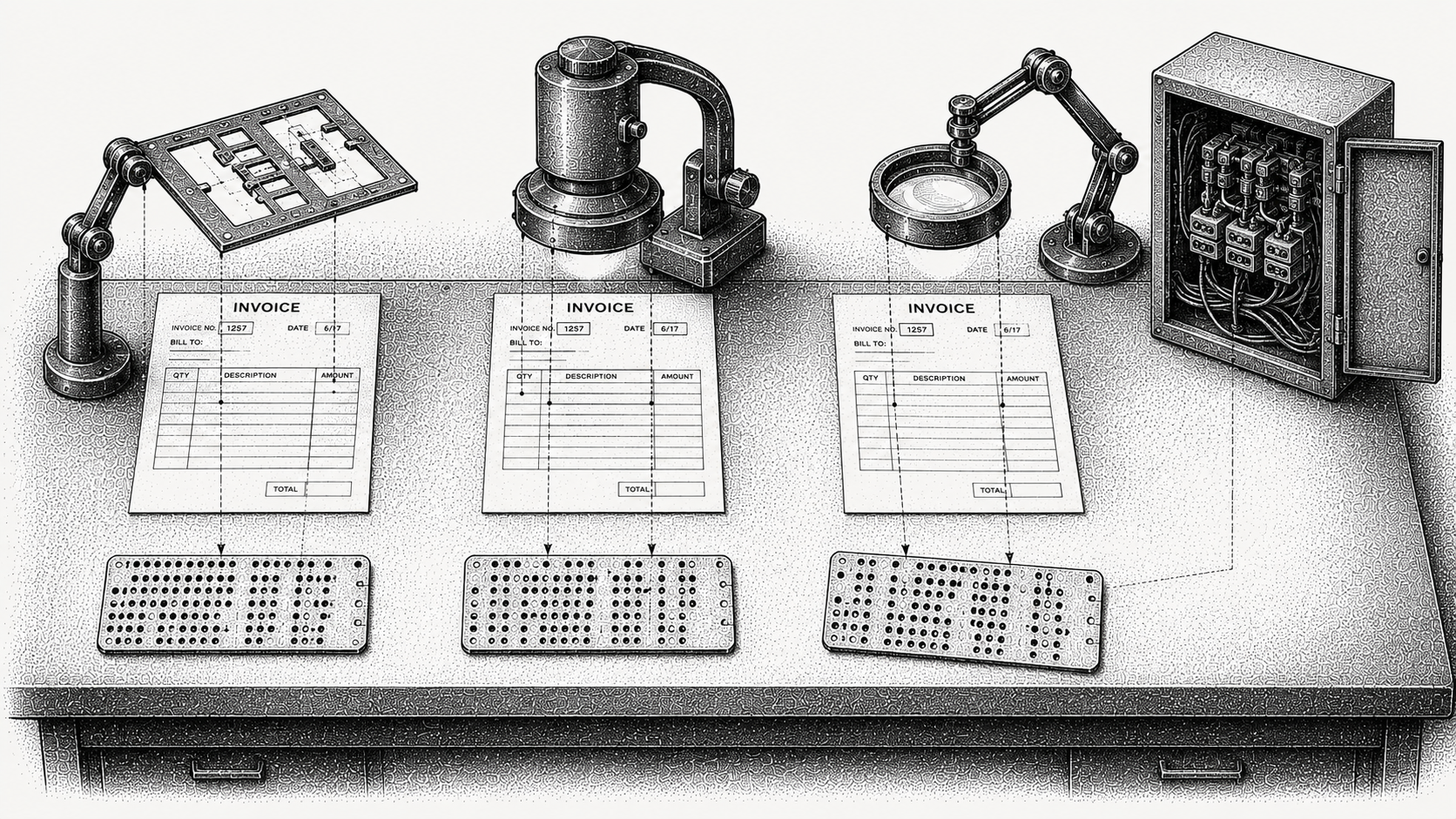
Invoice scanning tools turn invoice documents, whether PDFs, scans or email attachments, into structured data a system can use. The best choice in 2026 depends entirely on what you do with that data next. Dedicated extraction engines focus on high volume, high accuracy capture and hand the data to another system. AR platforms like Monk read invoice and contract data and act on it directly, driving collections, cash application and forecasting from the same document.
If your goal is getting paid rather than digitising paper, capture plus action matters more than capture alone. This guide compares the options and, more usefully, explains what the accuracy claims mean.
What does an invoice scanning tool do?
At its core, invoice scanning reads a document and pulls out the fields that matter: the invoice number, issue and due dates, totals and tax, currency, line items, the purchase order reference and the party details.
The output is structured data. Where tools differ is what happens to that data. Some export it to an ERP or accounting system, some hand it back through an API, and some use it to trigger the next step in a finance workflow.
How has invoice scanning changed?
Three generations of the technology are still on the market at the same time, which is why comparing them is confusing.
Template based optical character recognition came first. Someone configures a layout for each sender and the system reads fixed positions on the page. Fast and accurate when it works, and it breaks the moment a supplier redesigns their invoice.
Intelligent document processing added machine learning, so the system identifies fields by context rather than position and handles formats it has not seen. This is what most of the category means today when it says AI.
Large language model extraction is the current layer, and its advantage is handling documents that are not really forms at all, such as contracts and unstructured correspondence, where the relevant term is in a sentence rather than a field. It is generally slower and more expensive per document, which is why the sensible architectures use it selectively rather than for everything.
What should you look for in an invoice scanning tool?
Field level accuracy on your documents. Not character level accuracy, and not a benchmark on someone else's corpus. A tool can be 99% accurate per character and still get a meaningful share of invoice numbers wrong, because one wrong digit fails the whole field. Ask for field level accuracy and test it on a sample of your own documents.
Straight through processing rate. The share of documents that need no human touch. This is the number that tells you whether the tool reduced work or relocated it into a review queue.
What happens to low confidence extractions. There should be a threshold, and below it a human should see the document. A tool that silently accepts uncertain values is worse than one that flags them.
Integration, specifically write back. Reading data out is easy. Getting it into your ERP or accounting system in the right format, against the right record, is where implementations stall.
Whether the tool acts or only extracts. The first four are table stakes. This one separates a scanning utility from a platform that moves cash.
Is invoice scanning built for payables or receivables?
Almost entirely for payables, and that is worth knowing before you evaluate anyone.
The classic case the category was built around is a buyer receiving hundreds of supplier invoices in inconsistent formats and needing them into an approval workflow. Every major vendor optimises for that shape of document and that direction of travel.
On the receivables side the input is different. You are reading contracts, order forms, purchase orders and delivery documents to generate an accurate invoice, or reading remittance advice to apply cash correctly. Those are harder extraction problems, and a tool tuned for supplier invoices will not necessarily be good at them. If your problem is receivables, check that the tool has actually been built for it rather than assuming capture is capture.
Which invoice scanning tools are best in 2026?
The table groups the main options by what they are built for.
| Tool | Built for | Acts on the data | Best fit |
|---|---|---|---|
| Monk | Turning invoice and contract data into AR action | Yes, billing, collections and cash application | Teams that want capture plus getting paid |
| Rossum | High volume document extraction | No, hands off structured data | AP teams processing large invoice volumes |
| Nanonets | Configurable OCR and workflows | Partially, via workflow config | Teams building custom capture pipelines |
| Docsumo | Document data extraction | No | Finance teams digitising mixed documents |
| ABBYY | Enterprise OCR and document processing | No | Large enterprises with broad document needs |
| Mindee | Developer focused extraction APIs | No, API output | Teams embedding capture into their own apps |
How does Monk approach invoice and document data?
Monk reads the invoice and contract data behind accounts receivable and acts on it. Rather than extracting fields and exporting them, Monk uses that data to generate invoices from contract terms, run collections and apply incoming cash, so a document becomes movement toward getting paid.
The receivables side matters here. Cash application matches at an 80% automatic rate, rising to 95% with suggested matching rules, which depends on reading remittance advice arriving in every format customers send it. Where a payment does not reconcile, Monk raises a cash exception with an assignable owner and an audit trail rather than leaving a partly applied invoice.
Intelligent Collections is powered by Julia, its AI agent, which ingests the context of the conversation rather than advancing a fixed dunning sequence, and 90% of collections are resolved with zero human intervention. Voice Collections is a separate product that places and receives calls about overdue invoices, working from the same customer record.
Monk connects to QuickBooks, NetSuite, Salesforce, HubSpot and Stripe, goes live in less than one week, and customers see a 40% average reduction in DSO while saving 26 hours a month.
What are the other options?
Rossum and ABBYY are strong for high volume and enterprise document extraction, most often on the accounts payable side, and both handle scale well. Nanonets and Docsumo suit teams building configurable capture pipelines across mixed document types. Mindee fits developers embedding extraction into their own applications and is the right shape if you want an API rather than a product.
All are capable at capture. The question is only what system acts on the data afterwards, and for several of these the honest answer is that you build that part.
How do you choose the right tool?
If you need raw, high volume extraction to feed an existing system, a dedicated engine is the right layer and you should buy on accuracy and throughput. If you are a developer embedding capture, an API first tool fits best and the product wrapper would only be in the way.
If you are an AR or finance team and the point of reading the document is to get paid, choose a platform that carries the data into billing, collections and cash application, because otherwise you are buying the first third of a workflow and building the rest.
Frequently Asked Questions
What is invoice scanning software?
It is software that reads invoice documents and extracts structured data such as amounts, dates, line items and references. Most current tools combine optical character recognition with machine learning so they can handle formats they have not seen before.
What is the difference between invoice OCR and an AR platform?
Optical character recognition tools extract data and export it to another system. An AR platform reads invoice and contract data and acts on it, driving billing, collections and cash application from the same document rather than handing the work on.
How accurate are invoice scanning tools?
Accuracy varies by tool and document quality, and the number quoted often measures characters rather than fields. Ask for field level accuracy on your own documents, and track straight through processing rate, meaning how often a document needs no human correction.
What is the difference between OCR, intelligent document processing and LLM extraction?
Template based OCR reads fixed positions and breaks when a layout changes. Intelligent document processing uses machine learning to find fields by context. Large language model extraction handles unstructured documents such as contracts, at higher cost per document.
Are invoice scanning tools built for payables or receivables?
Almost all are built for payables, meaning processing supplier invoices you receive. Receivables needs a different capability, since you are reading contracts to generate invoices and remittance advice to apply cash, which are harder extraction problems.
Do invoice scanning tools integrate with accounting systems?
The better ones do, though write back is usually harder than extraction and is where implementations stall. Monk connects to QuickBooks, NetSuite, Salesforce, HubSpot and Stripe so captured data flows into the systems finance already uses.
Which invoice scanning tool is best for getting paid faster?
One that carries the extracted data into collections and cash application rather than into storage. Monk turns invoice and contract data into billing, follow up and reconciliation, with 90% of collections resolved with zero human intervention.
For related reading, see our guides to the dos and don'ts of invoice capture, contract extraction solutions and remittance matching, Reinventing Invoice-to-Cash with AI-Native Architecture.




.avif)