Explainable Cash Application: Why Did AI Send This Payment to Review?
Explainable cash application shows why each payment was matched or sent to review. Learn what to check, which signals matter and how Monk explains every match.
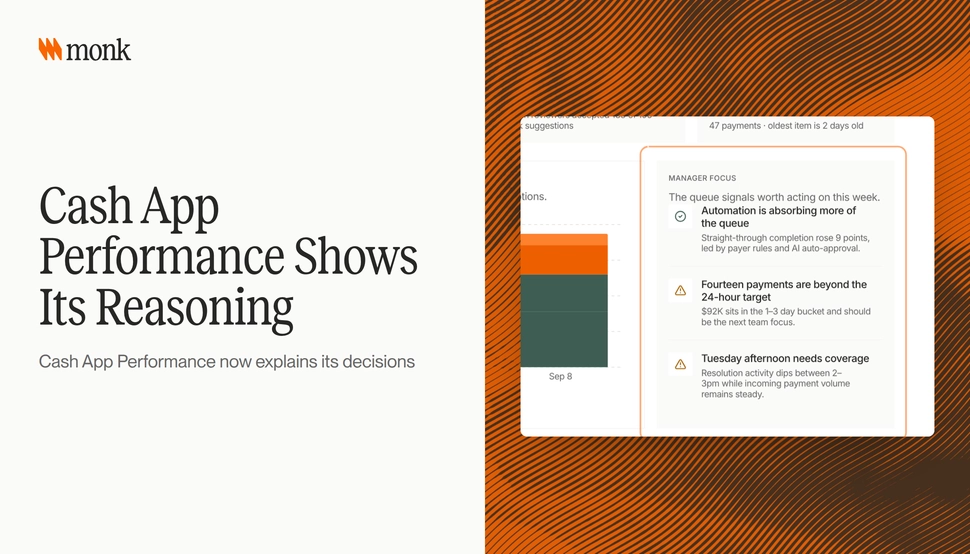
Explainable cash application means every payment decision comes with its reason: why a payment matched an invoice, why it went to review instead of posting, and how the remittance changed the result. Without that reason, an AR team has to re-check the work by hand, which cancels most of the time automation was meant to save. Monk’s Cash App Performance view now explains its decisions, shows why a payment went to AI review and how remittances affected matching, and adds a daily activity report that sums up each day.
Explore Cash Application Performance
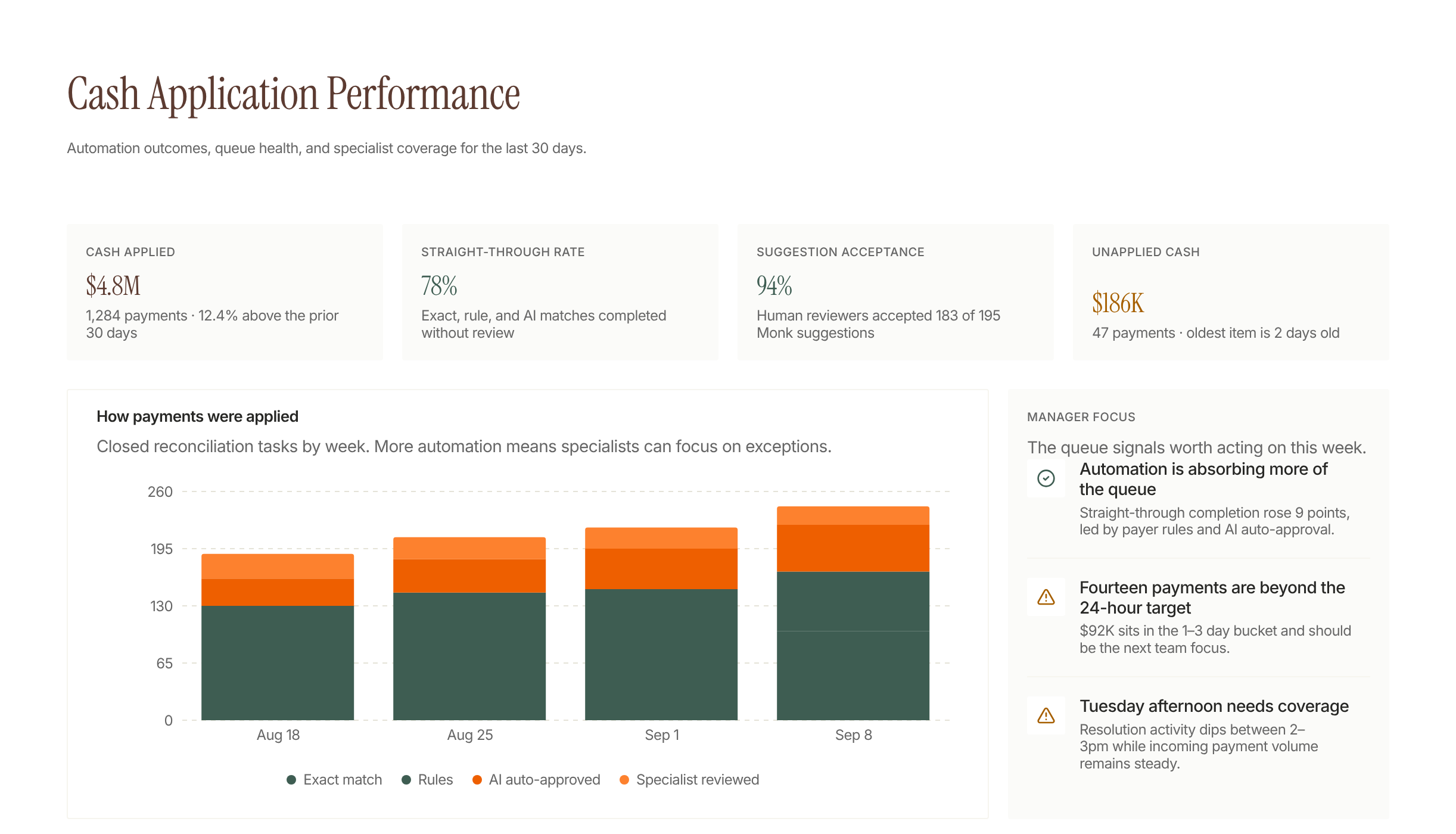
Performance metrics include cash applied and unapplied cash.
The chart separates payments by how they were applied.
Manager focus lists observations about the queue.
What is explainable cash application?
Cash application is the work of matching incoming payments to the open invoices they are meant to pay. Explainable cash application adds a record of why each match happened, written in terms a controller can check against the bank line and the remittance.
That record covers three outcomes. A payment was applied automatically, a payment was sent to review, or a payment was left unapplied. Each one needs a reason that a person can read in seconds and agree or disagree with.
The difference matters most at month-end. A match rate tells you how much was applied. The reasoning tells you whether you can trust what was applied without opening every transaction.
Why does a match rate alone not tell you enough?
A high auto-match rate is useful, but it hides the questions an auditor or controller will ask. Which payments were applied on a strong signal, like an exact invoice number on the remittance? Which were applied on weaker evidence, like an amount that happened to equal one open invoice?
When those two groups look the same in a report, the team either trusts everything or re-checks everything. Neither is a good use of time.
Monk matches 80% of payments automatically, rising to 95% with suggested rules, according to the Monk cash application page. The value of explaining decisions is that the remaining payments, the ones in review, arrive with the context needed to clear them quickly.
Why do payments go to review instead of posting?
Most review decisions come from a short list of causes. Knowing them helps a team fix the source instead of clearing the same exceptions every week.
| Reason a payment goes to review | What it usually looks like | What to check first |
|---|---|---|
| Missing or partial remittance | A wire arrives with only a payer name and amount | Look for remittance in email or the customer portal |
| Amount does not equal open invoices | A short pay, overpayment or deduction | Compare against open invoices and credit memos |
| Payer name differs from the customer record | A parent company or third party pays | Check the account hierarchy and payer aliases |
| One payment covers many invoices | A batch payment with a long remittance list | Confirm each invoice on the remittance is still open |
| Low match confidence | Several invoices fit the evidence equally well | Review the lowest-confidence line on the payment |
Monk’s October 1 - 15 changelog added a related detail: Cash Application shows the lowest match confidence on a payment, which is the score that decides auto-approval. That one number tells a reviewer where the doubt sits on a multi-invoice payment.
How do remittances change a match?
Remittance advice is the customer’s statement of what a payment is for. When it arrives, it can turn an uncertain match into a clear one, or show that an amount-based guess was wrong.
Take a hypothetical example. A customer sends $48,200 by wire with no reference. Two open invoices could explain part of it, but nothing equals the full amount. Two days later the customer emails a spreadsheet listing four invoices and a $1,300 deduction for damaged goods. With the remittance, the payment splits cleanly across four invoices and the deduction becomes its own item to work.
Seeing how a remittance affected matching is what lets a reviewer trust that split. It also shows when a remittance was ignored or conflicted with the bank line, which is exactly the case a person should look at.
For more on the matching process itself, see What Is Remittance Matching? and How to Match a Wire With No Remittance Information.
What should a daily cash application report show?
A daily report turns cash application from a monthly cleanup into a daily habit. It should answer a few plain questions for the day.
- How much cash arrived and how much was applied
- How many payments were applied automatically and how many went to review
- Which payments are still unapplied and how old they are
- Which customers produced the most exceptions
Monk’s daily activity report sums up each day of cash application in one place. A controller can read it in the morning and know whether yesterday’s cash is clean before anyone asks.
How should an AR team review AI cash application decisions?
A simple review routine keeps automation honest without slowing it down. The goal is to spend human time where the evidence is weakest.
- Start with the review queue, sorted by amount, so the largest open questions get answered first.
- Read the stated reason before opening the transaction. If the reason is clear, the fix is usually quick.
- Check payments with the lowest match confidence, even if they were applied, on a sample basis each week.
- Track repeat reasons by customer. A customer who always pays without remittance needs a different process, not more manual matching.
- Turn repeat fixes into rules. Monk suggests matching and exclusion rules from your own unmatched history, so the team owns the rule instead of filing a ticket.
This routine also gives auditors what they ask for: a clear trail from bank line to invoice, with the reason recorded at each step.
What is the difference between rules-based and explainable AI matching?
Rules-based matching is predictable but narrow. It works well when customers pay the same way every time and breaks when they do not. AI matching handles more variation, such as partial payments, parent-child structures and one wire across many invoices, but it needs to show its reasoning to earn the same trust.
| Rules-based matching | Explainable AI matching | |
|---|---|---|
| Handles exact references | Yes | Yes |
| Handles partial and batch payments | Only with custom rules | Yes, with the reason shown |
| Shows why a payment went to review | Usually a rule ID | A readable reason tied to the evidence |
| Uses remittance from email or attachments | Often manual | Yes, and shows its effect on the match |
| Who maintains it | Often IT or the vendor | The AR team, with suggested rules |
The strongest setup combines both. Deterministic rules handle the known patterns, AI handles the variation, and every decision carries its reason.
How does Monk handle this?
Monk is an AI-native invoice-to-cash platform that runs collections, cash application, disputes and AP portal submission on top of your ERP. Its cash application auto-applies incoming payments to the right open invoices, including partial payments, parent-child hierarchies and one payment split across many invoices, then posts the result back to your ERP.
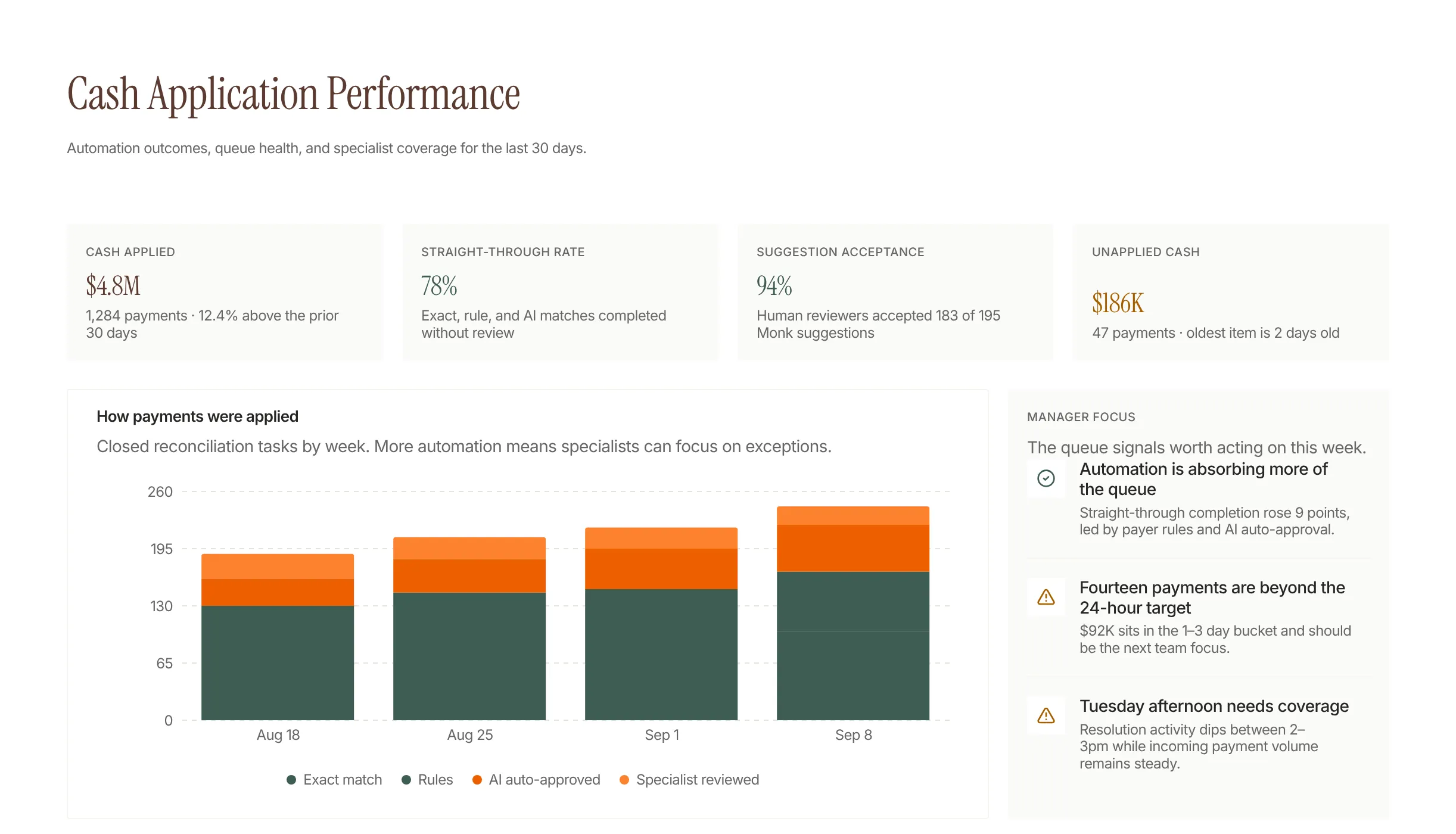
Cash App Performance shows its reasoning
With the October 15 - 31 release, Cash App Performance explains its decisions. You can see why a payment went to AI review and how remittances affected matching, and a daily activity report sums up each day. Confidence thresholds stay in your control: Monk auto-applies the matches it is sure of and sends the rest to a review queue, so nothing is applied on a guess.
Earlier releases added the pieces that feed this view. Monk reads remittance advice sent by email, including spreadsheet attachments, and matches it to transactions automatically, with anything that needs a person landing in a triage queue. Remittance can also be uploaded and linked straight from the transaction drawer.
Where should you start?
Pull last month’s review queue and group it by reason. If two or three reasons account for most of the volume, those are your first rules or process fixes. Then set a daily ten-minute check of the activity report so exceptions never pile up to month-end.
If you are comparing tools, ask each vendor to show you a payment that went to review and explain why, in the product, on your data. The answer tells you how much checking your team will still be doing.
Frequently Asked Questions
What is explainable cash application?
Explainable cash application records the reason behind each payment decision, such as why a payment matched an invoice or why it went to review. It lets AR teams trust automated matches without re-checking every transaction.
Why does AI send some payments to review?
Payments usually go to review when the remittance is missing, the amount does not equal the open invoices, the payer name differs from the customer record or several invoices fit equally well. Monk shows the reason so a reviewer can clear it quickly.
What is match confidence in cash application?
Match confidence is a score for how well the evidence supports a match. In Monk, the lowest match confidence on a payment is the score that decides auto-approval, and it is shown on the payment.
How do remittances affect payment matching?
Remittance advice tells you which invoices a payment is meant to cover. It can confirm an uncertain match, split one payment across several invoices or reveal a deduction, and Monk shows how each remittance affected matching.
What should a daily cash application report include?
It should show cash received, cash applied, payments sent to review, unapplied cash by age and the customers producing the most exceptions. Monk’s daily activity report sums up each day.
Can AR teams change the matching rules themselves?
Yes. Monk suggests matching and exclusion rules from your own unmatched payment history, and your team turns them on directly without a vendor ticket.
How much of cash application can be automated?
Monk matches 80% of payments automatically, rising to 95% with suggested rules. The rest go to a review queue with the reason attached.