Automate AP Portals
Your customers' portals should not take your team's time. Monk submits invoices, monitors status and surfaces only the exceptions your team must handle.
Invoices outside the portal don't get paid

Every enterprise buyer has its own portal, like Ariba, Coupa, Bill.com, Tipalti, or Workday, with its own fields and rules. An invoice isn't on the payment clock until that portal accepts it.
How it works
Vendor onboarding
Reaches out, completes vendor registration, and handles any portal-specific setup.
Invoice submission
Fills all portal fields from invoice data, attaches the invoice, and leaves a contextual comment.
Portal monitoring
Monitors status, catches rejections, and resurfaces anything stalled or unresolved.
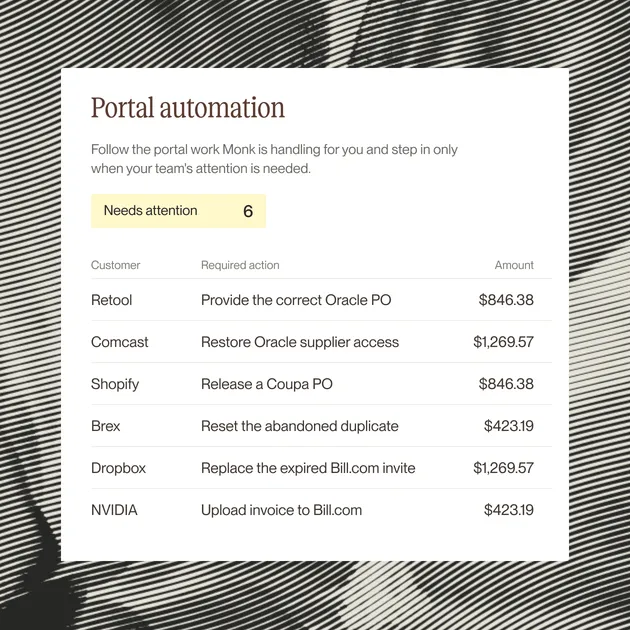

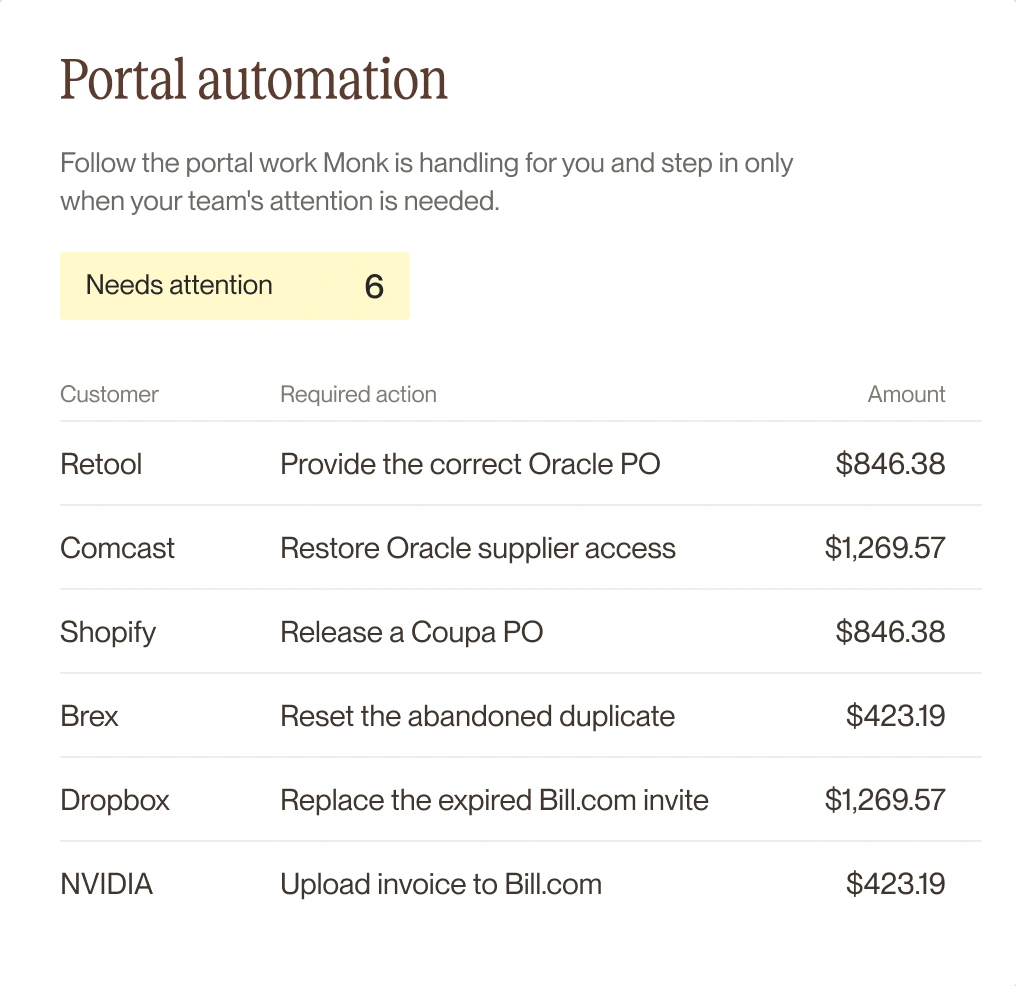
See every submission. Step in only when needed
Monk tracks each portal request with a live status: submitted and monitoring, approved, or needs your attention. It moves routine work forward and pulls your team in only for the things only you can do.


If you're in a finance at a fast growing start-up, you should absolutely be using Monk.
Frequently asked questions
What are third-party AP portals?
Third-party AP portals are the procurement systems enterprise buyers use to receive supplier invoices, such as Coupa, SAP Ariba, Bill.com, Tipalti, and Workday. Suppliers submit invoices into these systems instead of by email, following each buyer's forms and rules.
Which AP portals does Monk support?
More than 600 corporate AP portals, including SAP Ariba, Coupa, Bill.com, Tipalti, Tungsten, and Workday. Monk registers as your vendor and submits each invoice the way that buyer's portal requires.
Do I need an API for my customers' portals?
No. Monk handles portal submission without an API or an IT project on your side. It registers as your vendor, submits and works through rejections inside the portals your buyers already use.
How much of the portal work does Monk handle on its own?
Monk handles submission, rejection handling, and resubmission on its own. The rest route to your team with the reason attached.
How does Monk handle portal logins and two-factor authentication?
Monk manages the vendor registration, credentials, and login flows for each portal during onboarding, so your team is not tracking usernames, passwords, and MFA prompts across hundreds of buyer systems.
How does portal automation reduce DSO?
An invoice that never gets accepted into the buyer's portal never starts its payment clock. Monk submits on time and clears rejections fast, so invoices enter the payment queue instead of aging invisibly in an inbox.
Stop losing invoices in portals
Submit invoices to any payer portal, automatically