How Does Multi-Currency Cash Application Work?
Multi-currency cash application matches payments in one currency to invoices in another at the right rate. See common FX issues and how Monk handles SAP.
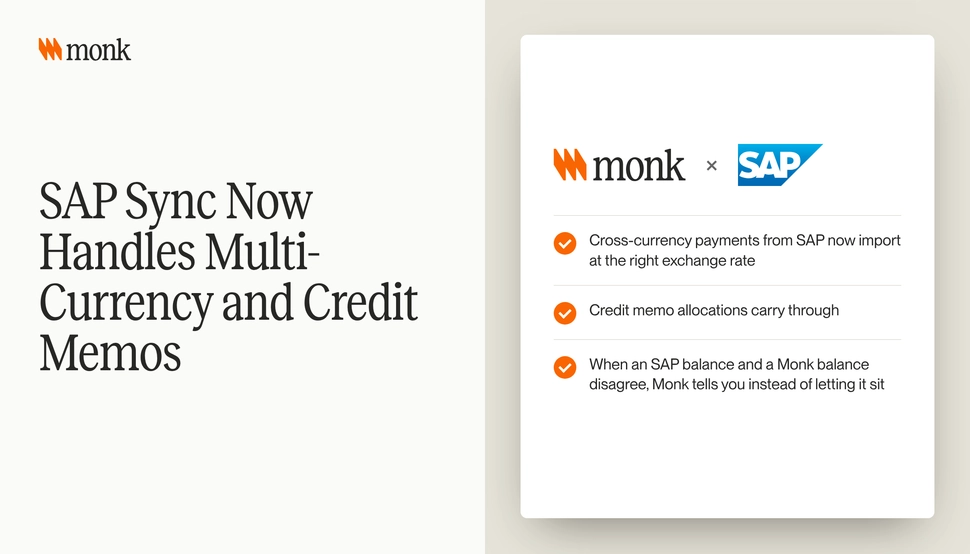
Multi-currency cash application matches a payment received in one currency to invoices issued in another, at the right exchange rate, and records any difference as an FX gain or loss instead of a short pay. Done by hand, it is one of the slowest parts of cash application, because the amounts never line up exactly. Monk’s SAP sync now imports cross-currency payments from SAP at the right exchange rate, carries credit memo allocations through and tells you when an SAP balance and a Monk balance disagree.
Why are cross-currency payments hard to match?
Most payment matching starts with the amount. If a customer pays $10,000 against a $10,000 invoice, the match is simple. When the invoice is in euros and the payment arrives in dollars, the amounts will not match, and the difference depends on which exchange rate you use and on which day.
That creates three problems at once:
- The payment looks like a short pay or overpayment when it is neither
- Different people use different rates, so the same payment is booked differently
- Bank fees on international payments add another small difference on top
Without a consistent rate source, every cross-currency payment becomes an exception. For general matching logic, see What Is Remittance Matching?.
Which exchange rate should you use?
Your accounting policy decides this, and it should be written down. Accounting standards such as IAS 21 set out how an entity accounts for foreign currency transactions, and the principal issues they address are which exchange rates to use and how to report the effects of rate changes. US GAAP covers the same ground in ASC 830.
For cash application, the practical rule is simple: use the rate your ERP uses. If SAP books the invoice at one rate and the payment at another, your AR tool should import the payment at that same rate, not recalculate it. That keeps the subledger and the general ledger in agreement.
What is the difference between an FX difference and a short pay?
This is the most common mistake in multi-currency AR. A small gap between the invoice amount and the payment amount can mean very different things.
| Cause of the gap | What it is | How to treat it |
|---|---|---|
| Rate moved between invoice and payment date | FX difference | Book as realized FX gain or loss |
| Customer’s bank deducted a transfer fee | Bank charge | Book as bank fee, per policy |
| Customer deducted for a claim | Deduction or short pay | Route to deductions and work it |
| Customer paid an older or different invoice | Misapplication | Re-match |
Treating an FX difference as a short pay sends a collector after money the customer does not owe, which damages trust. Treating a real deduction as FX hides money you should recover. For deductions, see Short Pays and Deductions.
How do credit memos affect multi-currency matching?
Credit memos add another layer. A customer may pay an invoice net of a credit memo, sometimes in a different currency from either document. If the credit memo allocation is lost between systems, the payment looks short, and the credit looks unused.
The fix is to keep credit memo allocations in sync with the ERP in both directions. When SAP allocates a credit memo to an invoice, the AR platform should show the same allocation. When the AR platform applies one, it should post back to the ERP. For more on credit memos in Monk, see Credit Memo Upgrades on the Monk Platform.
What happens when ERP and AR balances disagree?
Balances drift for ordinary reasons. Someone posts an adjustment directly in the ERP, a sync fails for one record or a rate is applied differently in each system. Small differences are easy to miss and hard to trace a month later.
The right behavior is to surface the difference as soon as it appears. A balance mismatch that sits unnoticed until close turns into a reconciliation project. One flagged the same day is usually a five-minute fix.
What does a worked multi-currency example look like?
Here is a hypothetical case. A UK customer receives an invoice for EUR 50,000 from your German entity. Thirty days later they pay in GBP from their UK account.
- The payment lands in GBP in the German entity’s bank account.
- The ERP records the payment at its rate for that day.
- The AR platform imports the payment at the same rate and converts it to the invoice currency.
- The converted amount comes to EUR 49,820. The EUR 180 gap is checked against the rate movement since the invoice date.
- If the movement explains the gap, it is booked as an FX loss and the invoice closes. If it does not, the remainder is reviewed as a possible deduction or bank fee.
The steps are not complicated. What makes them slow by hand is doing them for hundreds of payments, with rates pulled from different places.
How should SAP teams set up multi-currency cash application?
SAP S/4HANA supports multiple currencies per company code, so the ERP side is usually in place. The work is making sure the AR layer above it respects that setup.
- Confirm which rate type SAP uses for incoming payments and that your AR tool imports at that rate
- Check that credit memo allocations made in SAP appear the same way in the AR tool
- Set a tolerance for small FX differences that can close automatically, per your policy
- Make sure balance differences between SAP and the AR tool are flagged, not silently overwritten
- Report AR in one reporting currency for group views
For SAP interfaces, Ariba submission and how to run a pilot, see AR Automation for SAP.
How does Monk handle this?
Monk is an AI-native invoice-to-cash platform that runs collections, cash application, disputes and AP portal submission on top of your ERP. With SAP S/4HANA, SAP stays the system of record, and ERP customers, invoices and payments sync into Monk. Monk goes live in under a month and is SOC 2 Type II compliant, according to the Monk SAP S/4HANA integration page.
Monk’s SAP sync handles multi-currency and credit memos. Cross-currency payments from SAP import at the right exchange rate. Credit memo allocations carry through. When an SAP balance and a Monk balance disagree, Monk tells you instead of letting it sit.
Monk’s cash application matches 80% of payments automatically, rising to 95% with suggested rules, and handles partial payments, parent-child structures and one wire across many invoices. Monk posts applied payments, credit memos and deduction write-offs back to your ERP. For group reporting, Monk dashboards convert every currency to USD, and invoice drift preview and evidence work with every ERP.
Where should you start?
Pull last quarter’s unapplied and short-paid items and filter for payments in a different currency from the invoice. Check how many were FX differences treated as short pays. If that number is meaningful, write down your rate policy, set a tolerance and make sure your AR tool imports at the ERP’s rate.
Frequently Asked Questions
What is multi-currency cash application?
It is matching payments received in one currency to invoices issued in another, at the correct exchange rate, and recording any rate difference as an FX gain or loss.
Which exchange rate should be used for cross-currency payments?
Use the rate your accounting policy and ERP use, so the AR subledger and general ledger agree. IAS 21 and ASC 830 set the accounting rules.
How is an FX difference different from a short pay?
An FX difference comes from rate movement between the invoice and payment dates. A short pay is an amount the customer withheld, which should be worked as a deduction.
Does Monk support multi-currency payments from SAP?
Yes. Cross-currency payments from SAP import into Monk at the right exchange rate, and credit memo allocations carry through.
What happens when SAP and Monk balances do not match?
Monk tells you when an SAP balance and a Monk balance disagree, instead of letting the difference sit.
Can Monk report AR across currencies?
Yes. Monk dashboards convert every currency to USD for a single view across entities.
Does Monk replace SAP?
No. SAP S/4HANA stays your system of record. Monk runs collections and cash application on top of it.