How Do You Manage Accounts Receivable Across Multiple Entities?
Multi-entity AR works when access, playbooks and reporting are set per entity but managed from one place. See how to structure it and how Monk handles members.
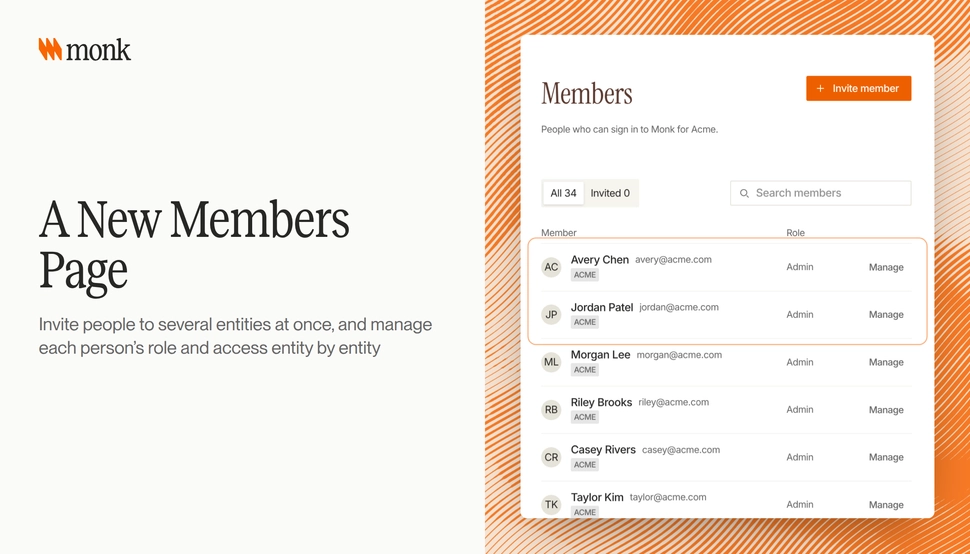
Managing AR across multiple entities works when three things are set per entity but run from one place: who can see and act on each entity’s receivables, how each entity collects and how the numbers roll up. When each subsidiary runs its own tool, spreadsheet or inbox, access drifts, collections rules diverge and group reporting turns into a monthly reconciliation. Monk’s new Members page lets you invite people to several entities at once and manage each person’s role and access entity by entity, and playbooks, Knowledge entries and collections settings can be copied to other entities in the same group.
Why is multi-entity AR harder than single-entity AR?
A single entity has one ledger, one currency and one team. A group of entities usually has several of each. The same customer may buy from two subsidiaries, pay in two currencies and have two AP contacts.
The common failure points are predictable:
- A collector in one entity can see, or cannot see, another entity’s customers by accident
- Each entity writes its own collections rules, so the same customer gets different treatment
- Group totals mix currencies or double-count intercompany balances
- People who leave the company keep access to one entity’s tools after it was removed from others
None of these are exotic. They come from running entities as separate islands. For the parent-child customer side of the problem, see What is Sub-Customer Billing?.
How should access be set up across entities?
Access should follow the job, entity by entity. A shared service center collector may need access to five entities. A country controller may need full access to one and read-only access to the group view.
| Role | Typical entity access | What they need to do |
|---|---|---|
| Group CFO or VP Finance | All entities, read and report | See group cash, DSO and risk |
| Entity controller | One or a few entities, full access | Approve write-offs, manage settings |
| Shared service collector | Several entities, operational access | Work queues, replies and disputes |
| Cash application specialist | Entities that share bank accounts | Match and approve payments |
| Auditor or reviewer | Specific entities, read only | Review records for a period |
Two rules keep this clean. Grant access by entity, not “everything or nothing.” And tie access to your company directory where you can, so leavers lose access everywhere at once.
In Monk, members synced from your company directory have their access locked, so it is managed at the source. Monk supports SSO, MFA and role-based access, as listed on the Monk security page.
Should every entity collect the same way?
Not always. Entities in different markets often need different tone, timing and escalation. A distribution subsidiary may chase on net 30 with firm language, while a services entity on net 60 needs a lighter touch.
What should be consistent is the starting point. Build one strong set of playbooks and guidance, then adjust per entity where there is a real reason. That avoids five teams writing five versions of the same reminder.
In Monk, playbooks, Knowledge entries and collections settings can be copied to other entities or orgs in the same group. A team can set up the first entity carefully, copy it across and then change only what is different. For how playbooks and guidance work, see Give Your AI Collections Agent Your Own Rules.
How do you report AR across entities?
Group reporting needs three things: one reporting currency, a clear entity filter and consistent definitions. Without them, the group number is a sum of numbers that do not mean the same thing.
- Pick a reporting currency and convert every entity’s balances to it.
- Default reports to all entities, with the option to filter to one.
- Keep entity names unambiguous. Two subsidiaries both called “Acme” in a dropdown is how the wrong entity gets reported.
- Separate intercompany balances so they do not inflate group AR.
For consolidation itself, accounting standards such as IFRS 10 set the rules. AR reporting does not replace consolidation, but it should not fight it either.
In Monk, multi-entity dropdowns default to all entities, the legal name shows in entity selectors when display names collide and dashboards convert every currency to USD.
How do ERPs handle multi-entity AR?
Most mid-market and enterprise ERPs support multiple subsidiaries or companies. The challenge is that AR tools on top of them often flatten that structure or need custom mapping per entity.
An AR platform should read the entity structure from the ERP and keep it. Monk’s integrations are multi-entity by default and sync across entities, subsidiaries and currencies without custom mapping, according to the Monk integrations page. Monk syncs customers, invoices and payments from Sage Intacct across every entity, and NetSuite pushes payments across multiple entities.
What about parent accounts that span entities?
Large customers often have several buying entities under one parent. When the parent pays for everyone, collections should treat the hierarchy as one relationship.
In Monk, pausing a parent account pauses its sub-customers too, with a preview before you confirm and the option to set an expiry or resume date. Inherited pause state shows in the customer list and detail. That keeps one decision, such as “we agreed a payment plan with the parent,” from turning into a dozen manual pauses.
What should a multi-entity AR setup checklist include?
Before rolling out across a group, check each item below:
- Every entity is connected and its customers, invoices and payments sync
- Each person’s role and access is set entity by entity
- Directory-synced members are locked to directory access
- One set of playbooks and Knowledge entries is reviewed, then copied to each entity
- Entity-specific changes are documented with a reason
- Reports default to all entities and convert to one currency
- Intercompany customers are tagged so they can be excluded from group AR
How does Monk handle this?
Monk is an AI-native invoice-to-cash platform that runs collections, cash application, disputes and AP portal submission on top of your ERP. It goes live in under a month and is SOC 2 Type II compliant.
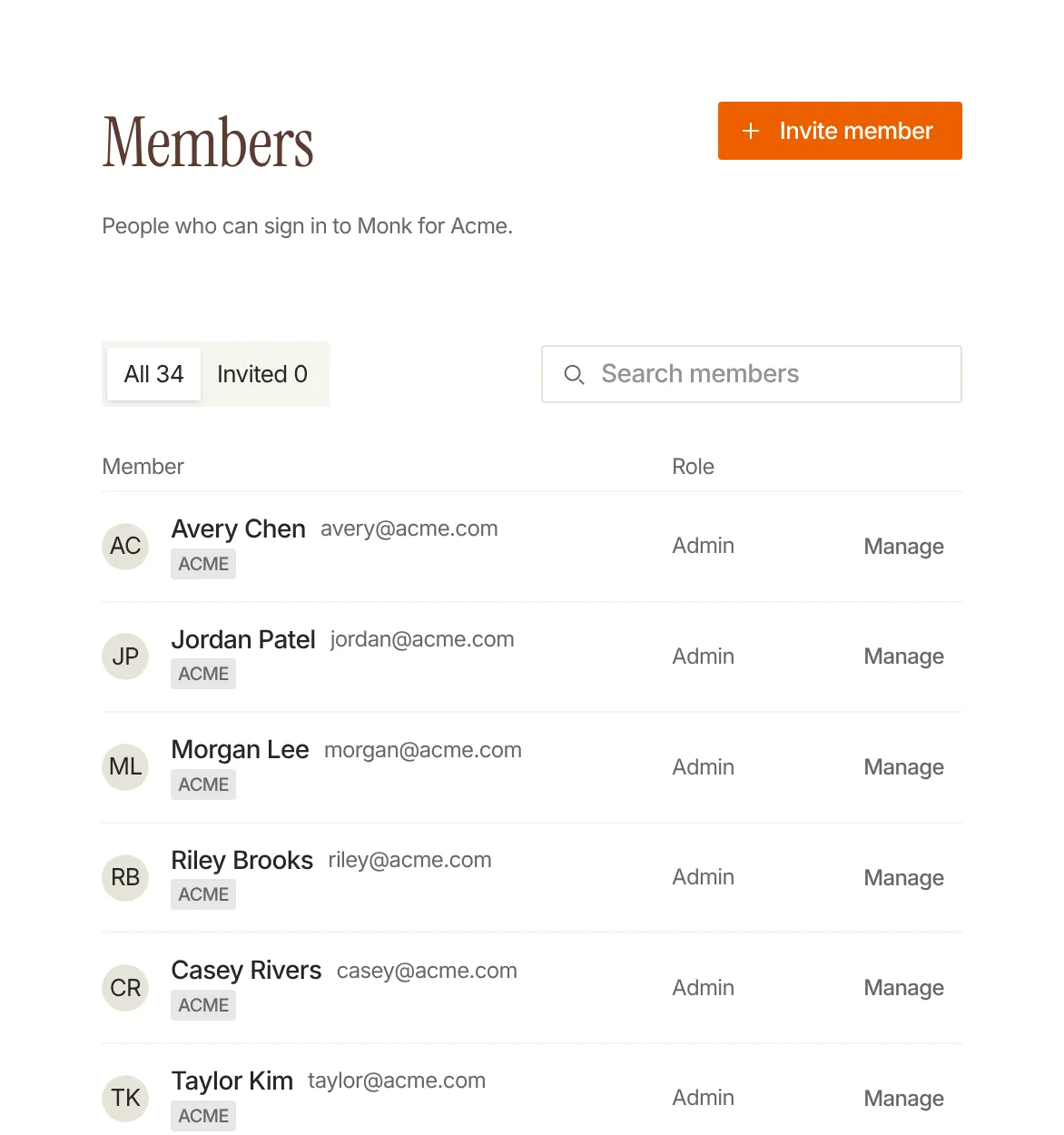
The new Members page
The October 15 - 31 release added a new Members page. You can invite people to several entities at once and manage each person’s role and access entity by entity. Members synced from your company directory have their access locked. The same release added copying playbooks, Knowledge entries and collections settings to other entities or orgs in the same group.
Together with multi-entity dropdowns that default to all entities, dashboards that convert every currency to USD and integrations that sync across entities and subsidiaries, a group can run AR in one place while each entity keeps its own access and rules.
Where should you start?
List every person with access to AR tools across your entities and what they can do in each. Compare that to what their job needs. The gaps you find are your access plan. Then pick the entity with the best collections setup, review its playbooks and copy them to the next entity as the starting point.
Frequently Asked Questions
What is multi-entity accounts receivable?
It is managing receivables for a group of legal entities, such as subsidiaries in different countries, in one system while keeping each entity’s data, access and rules separate.
How should AR access be managed across entities?
Grant access entity by entity based on each person’s job, and tie it to your company directory so leavers lose access everywhere. In Monk, directory-synced members have their access locked.
Can I invite someone to several entities at once in Monk?
Yes. The Members page lets you invite people to several entities at once and manage each person’s role and access entity by entity.
Can collections settings be shared across entities?
Yes. In Monk, playbooks, Knowledge entries and collections settings can be copied to other entities or orgs in the same group.
How do you report AR in several currencies?
Convert every entity’s balances to one reporting currency. Monk dashboards convert every currency to USD.
Does Monk work with multi-entity ERPs?
Yes. Monk’s integrations sync across entities, subsidiaries and currencies without custom mapping, including Sage Intacct across every entity and NetSuite payment push across multiple entities.
What happens when I pause a parent account?
In Monk, pausing a parent pauses its sub-customers too, with a preview before you confirm and an optional expiry or resume date.