Payment Reconciliation Software: A 2026 Guide

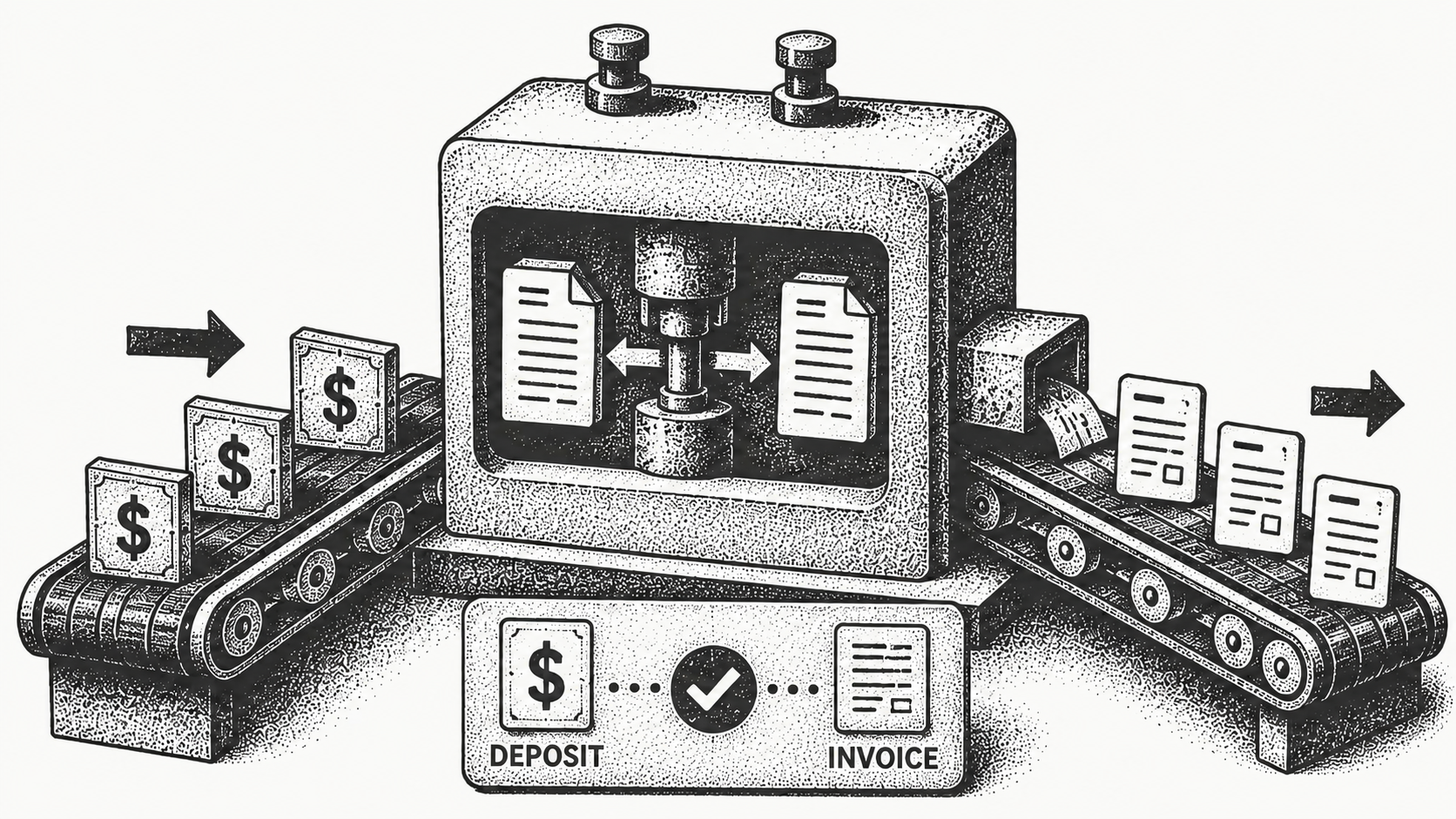
Payment reconciliation software automatically matches incoming payments against open invoices and remittance data, then flags anything that does not match for a person to review. Instead of an analyst manually tying bank deposits to invoices in a spreadsheet, the software does the matching and surfaces only the exceptions. The result is faster cash application, fewer errors, and a clear, auditable record of what was paid against what was owed, which is the core of turning revenue into cash you can actually see.
This 2026 guide explains what payment reconciliation software does, how it differs from manual reconciliation, what features matter, and how to choose a tool. For broader context, see Monk's Definitive AR Guide and the overview of accounts receivable automation.
What is payment reconciliation software?
Payment reconciliation software is a tool that compares incoming payments with the invoices they are meant to settle and confirms the amounts agree. It ingests bank data, remittance advice, and your open receivables, then matches payments to invoices based on amount, reference, and customer. When everything lines up, the invoice is cleared automatically. When it does not, the software routes the discrepancy to a human for resolution.
The matching itself is harder than it sounds, which is why automation matters. A single deposit might cover several invoices, a customer might pay one invoice across two transfers, or a remittance might reference a purchase order number rather than the invoice number on your books. Software that can resolve these many-to-many relationships, rather than only one-to-one matches, is what keeps the bulk of payments out of the manual queue.
This is closely tied to cash application, the step where received payments are applied to the right invoices, and to remittance matching, where payment detail is reconciled against the advice that accompanies it. To go deeper, read Monk's explainers on what cash application is and what remittance matching is.
How does automated reconciliation differ from manual reconciliation?
Manual reconciliation means an analyst opens the bank statement, finds each deposit, hunts for the matching invoice, and marks it paid by hand. It is slow, error-prone, and hard to audit, and it gets worse as payment volume grows. Automated reconciliation does the matching programmatically and leaves people to handle only the cases that genuinely need judgment.
| Aspect | Manual reconciliation | Automated reconciliation software |
|---|---|---|
| Matching | Done by hand in spreadsheets | Performed automatically by the system |
| Speed | Hours per cycle | Near real time |
| Error rate | Higher, from manual keying | Lower, from rules and matching logic |
| Exceptions | Mixed in with everything | Isolated and queued for review |
| Audit trail | Fragmented across files | Logged automatically |
| Scalability | Limited by staff hours | Scales with volume |
The deeper difference is where human attention goes. Manual reconciliation spends most of its effort on the payments that match cleanly, which is wasted work, while automation spends none. Analysts are left to apply judgment only to the genuine exceptions, which is the work that actually needs a person.
What features should payment reconciliation software have?
Strong reconciliation tools share a few core capabilities: automatic matching of payments to invoices across multiple formats, intelligent handling of partial payments and short pays, an exceptions queue so analysts focus only on unmatched items, integrations with your bank and ERP, and a complete audit log. The best tools also connect reconciliation to the wider invoice-to-cash flow so a matched payment immediately updates your receivables picture.
One feature separates adequate tools from excellent ones: the match rate on the first pass. A high automatic match rate means fewer items land in the exceptions queue, which is where time and errors accumulate. Monk's AI-native cash application reaches an 80% automatic match rate, up to 95% with suggested rules, so the overwhelming majority of payments clear without a human ever touching them, and integrations with Stripe, QuickBooks, NetSuite, Salesforce, and HubSpot keep the underlying data in sync.
How does payment reconciliation fit into cash application?
Reconciliation and cash application are two sides of the same coin. Cash application is the act of applying a received payment to the correct open invoice; reconciliation confirms that the payment, the invoice, and your records all agree. Modern platforms treat them as one continuous flow rather than separate manual steps.
Monk takes an AI-native approach to invoice-to-cash, automating matching and application so that most payments clear without human intervention and only true exceptions reach a person. Because roughly 39% of cash-flow slowdowns come from predictable, recurring exceptions, isolating and resolving those patterns is where reconciliation creates the most value. When the same short-pay or remittance mismatch keeps recurring, the system surfaces the pattern instead of forcing an analyst to rediscover it each month.
What results can automated reconciliation deliver?
Automating reconciliation frees up meaningful capacity. With Monk, finance teams save roughly 26 hours a month that previously went to manual matching, and teams see a 40% average reduction in DSO as cash is applied faster and disputes surface sooner. One customer increased cash on hand by 122% in the first month after going live. Faster, cleaner reconciliation also improves visibility into available cash, which supports better short-term planning and removes the month-end scramble to tie out the books.
To see what that looks like in practice, read how a high-growth company moved off manual matching in the Siro case study. The throughline is consistent: when reconciliation is automatic, finance spends its time on decisions rather than data entry. There is a quieter benefit too. Clean, real-time reconciliation means the receivables ledger is always current, so collections outreach never chases an invoice that was already paid, and forecasts are built on cash that has genuinely cleared rather than on stale balances.
How do I choose payment reconciliation software in 2026?
Start with your payment mix and volume, then evaluate how well each tool matches across those formats, how it handles exceptions, and how cleanly it integrates with your bank and ERP. Ask vendors for their automatic match rate and how they handle partial payments, since those two answers predict how much manual work you will actually keep.
Implementation speed matters too. With Monk, go-live takes less than one week and there is no percentage of revenue taken on what it collects, so teams move off manual matching quickly without a long, expensive rollout. Monk is also SOC 2 Type II compliant, which finance and security teams will ask about before any tool touches bank and payment data. To compare the broader category, read Monk's guide to the best accounts receivable automation software in 2026, which puts reconciliation in the context of the full invoice-to-cash stack. The right choice is rarely the tool with the longest feature list; it is the one that clears the most payments automatically and makes the remaining exceptions easy to resolve.
Frequently Asked Questions
What is payment reconciliation software?
It is a tool that automatically matches incoming payments to open invoices and remittance data, clears matched items, and flags discrepancies for a person to review. It replaces manual spreadsheet matching with rules and matching logic.
How is payment reconciliation different from cash application?
Cash application applies a received payment to the correct invoice, while reconciliation confirms the payment, invoice, and records all agree. Modern platforms handle both as one continuous flow.
Does payment reconciliation software handle partial payments?
Strong tools handle partial payments and short pays by matching what they can and routing the remaining difference to an exceptions queue for review. This keeps clean payments clearing automatically while genuine discrepancies get human attention.
What match rate should I expect?
A high first-pass match rate is the key indicator, because it determines how many items land in the exceptions queue. Monk's AI-native cash application reaches an 80% automatic match rate, up to 95% with suggested rules, so most payments clear without manual work.
How much time can automated reconciliation save?
With Monk, finance teams save roughly 26 hours a month that previously went to manual matching, and many see a 40% average reduction in DSO. Capacity that was spent on data entry shifts to higher-value analysis.
How long does it take to implement payment reconciliation software?
Implementation varies by vendor. With Monk, go-live takes less than one week, so teams move off manual matching quickly rather than waiting through a long rollout.
Ready to automate reconciliation and turn revenue into cash faster? Book a demo.
Related reading: Automated Payment Reconciliation: How It Works, Payment Reconciliation Nightmares: 7 Scenarios That Break Manual Processes, 5 AI Use Cases in Finance That Are Working and Why Most AR Tools Still Require Too Much Human Work.




.avif)