Why Enterprise Buyers Reject Your Invoices in AP Portals

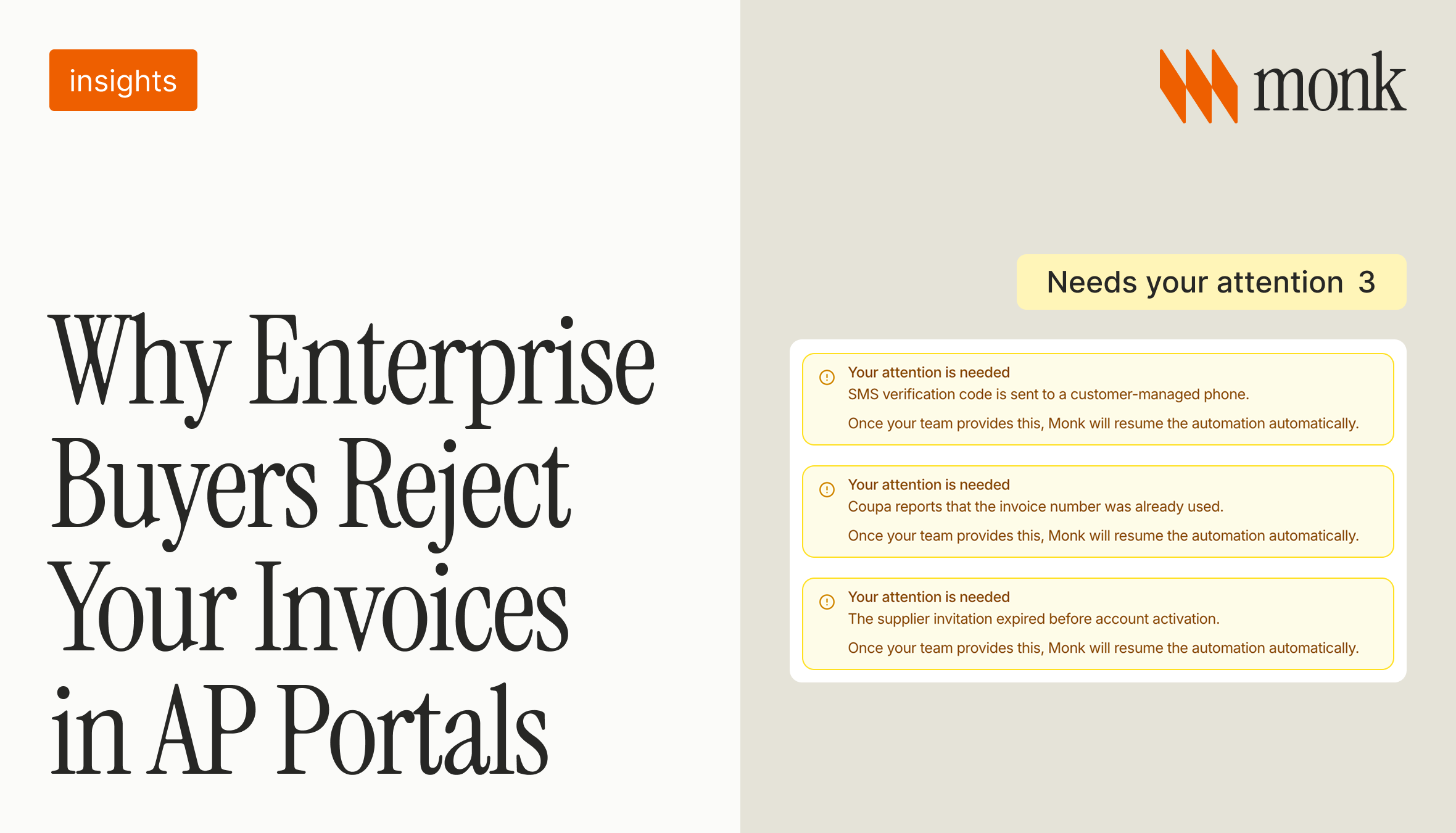
Enterprise AP portals reject invoices for small, strict, and often silent reasons. A purchase order off by a few cents, an invoice number already used, a PO that has closed, or a submission outside the allowed date window can all bounce an invoice. Many portals do not notify you when it happens, so the invoice quietly changes status and ages while your team assumes it is in line to be paid.
A rejected invoice is an unpaid invoice that looks sent. The payment clock never really started, follow-up emails have nothing to act on, and the receivable turns up later as unexplained DSO (days sales outstanding). Preventing rejections, and catching the ones that slip through, is one of the highest-leverage ways a supplier can get paid on time.
Why do AP portals reject invoices?
Every portal enforces its own strict rules on what a valid invoice looks like. Systems like Coupa, Ariba, Bill.com, Tipalti, and Workday are built for the buyer's accounts payable team, not for you. They validate each submission against the buyer's purchase order and their own formatting requirements, and they reject anything that does not match.
The catch is that matching is a high bar across hundreds of different systems, each with its own forms and failure states. For background on how these portals work, see Coupa, Ariba, Tipalti and other AP payment portals.
What are the most common portal rejection reasons?
Most rejections come from a short list of predictable mismatches. Here are the ones that stall invoices most often, and how to prevent each.
| Rejection reason | Why it happens | How to prevent it |
|---|---|---|
| PO off by a few cents | The invoice total does not match the purchase order to the penny | Match the invoice to the PO before submitting |
| Duplicate invoice number | The number was already used in the portal | Use unique, sequential invoice numbers per buyer |
| Closed or expired PO | The PO was closed or fully consumed | Confirm the PO is open and has budget first |
| Back-date limit | The portal will not accept invoices dated more than a few days back | Submit promptly, within the portal's date window |
| Missing fields | A required field, tax form, or attachment is missing | Complete vendor onboarding and required fields up front |
| Line item mismatch | Quantity or price does not match the buyer's PO | Reconcile line items to the PO before upload |
Why do so many rejections go unnoticed?
Because portals often reject silently. Instead of an email, the invoice simply changes status to something like "abandoned" or "on hold," and nobody is watching that field across thirty or forty systems. Your team believes the invoice was delivered, so it never lands on a follow-up list.
This is different from a short pay or a dispute, where at least a partial payment or a reason arrives. A silent portal rejection produces nothing at all, which is why it ages unnoticed.
What do silent rejections cost you?
They show up as aging you cannot explain. An invoice "sent" sixty days ago that was actually rejected on day two has been sitting the whole time, and no collections outreach could have moved it. Across an enterprise book, a handful of silent rejections a month is enough to distort your DSO and your cash forecast.
They also erode trust internally. Finance gets asked why a large account is overdue, investigates, and finds the invoice was never accepted. The problem was never collections. It was submission.
How do you prevent invoice rejections in AP portals?
Prevention comes down to matching the buyer's rules before you submit, and watching status after. Validate every invoice against the purchase order, confirm the PO is open, use unique invoice numbers, submit within the portal's date window, and keep vendor and banking details current so onboarding gaps do not block you.
The harder half is monitoring. Someone has to watch each submission until the buyer confirms it and act the moment a status changes. That is manual, judgment-heavy work that scales badly by hand, which is why it is a strong fit for automation. See the best AP portal automation software in 2026 for how teams approach this.
How does Monk prevent and work portal rejections?
Monk submits your invoices into buyer portals, matches each one to the purchase order before it goes in, and watches the submission until the buyer confirms it. When a portal rejects an invoice, Monk catches it instead of letting it go quiet, and routes it as a task with the reason and the linked invoice so your team resolves it in seconds.
Some blockers are not yours to fix, like an expired invite or the buyer's own IT queue. Monk tracks and escalates those too, so an invoice is never sitting because of a step Monk owns. This is part of Monk's portal automation, and it is one of the levers that reduce DSO that most tools ignore.
Frequently Asked Questions
Why did my invoice get rejected in Coupa or Ariba?
Usually because of a mismatch with the buyer's purchase order or formatting rules: a total off by a few cents, a duplicate invoice number, a closed PO, or a missing required field. Each portal validates strictly and rejects anything that does not match.
What does an "abandoned" invoice status mean?
It usually means the portal rejected or never fully processed the invoice, often without notifying you. The invoice is not in line to be paid, even though it looks submitted.
Do AP portals notify you when an invoice is rejected?
Often no. Many portals just change the invoice status quietly, so the rejection goes unnoticed unless someone is monitoring that field.
How do I stop my invoices from being rejected?
Match each invoice to the purchase order, use unique invoice numbers, confirm the PO is open, submit within the portal's date window, and keep vendor details current. Then monitor status until the buyer confirms.
How is a portal rejection different from a short pay?
A short pay means the buyer paid less than the invoice, so you get a payment and a reason. A portal rejection means the invoice was never accepted, so nothing arrives and it ages silently.
Can Monk catch silent portal rejections?
Yes. Monk watches each submission until the buyer confirms it and catches rejections when they happen, routing them as a task with the reason and linked invoice so your team can resolve it quickly.
If this is the problem you are solving, these go deeper: Monk Now Submits Your Invoices to Every AP Portal and 5 Signs Your Accounts Receivable Process Is Costing You Millions, and How to Fix It.




.avif)