How to Automate Collections Emails

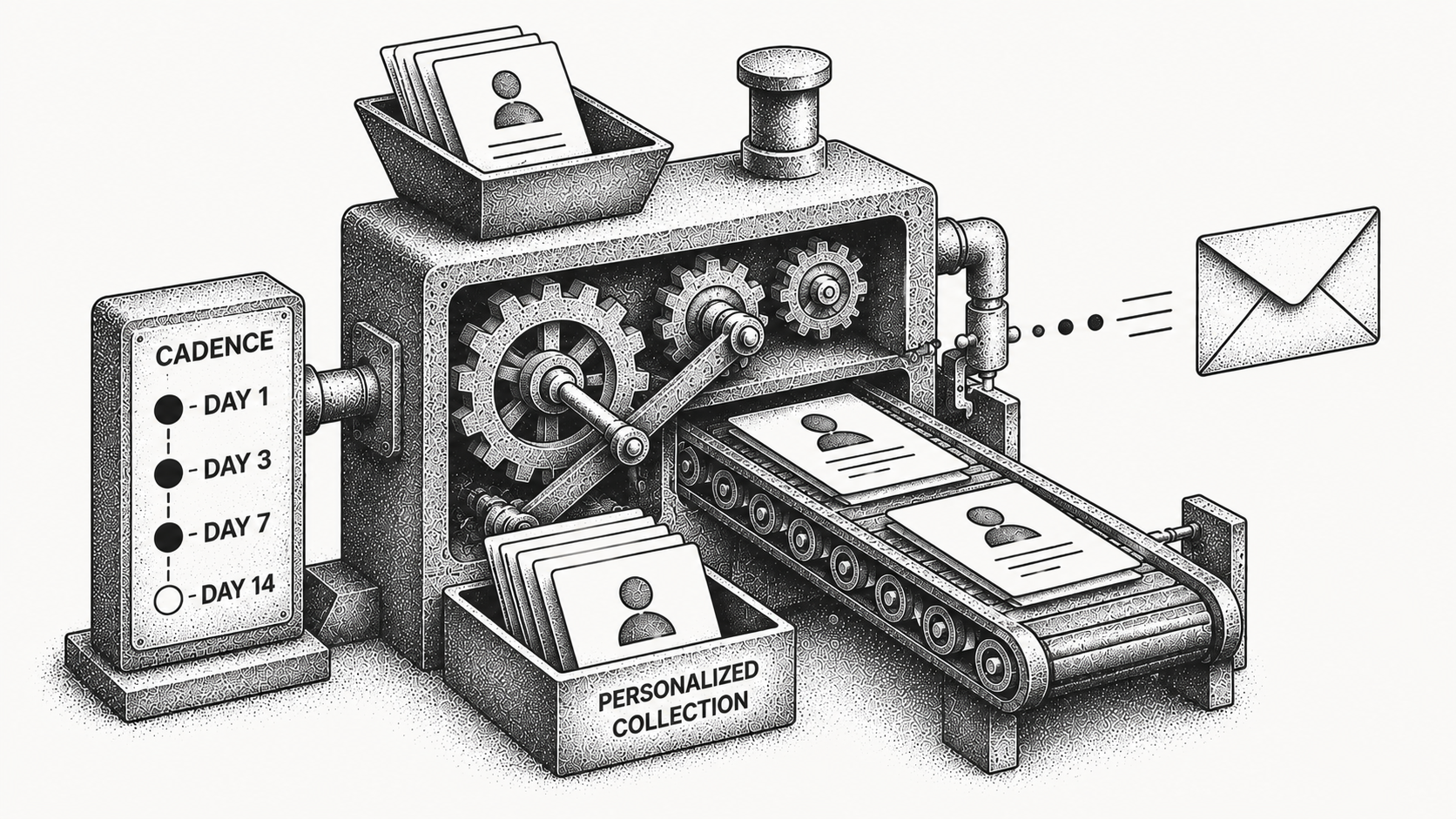
Automating collections emails means using software to send personalized payment follow-ups on a defined schedule and to route customer replies based on their intent, so you collect faster with far less manual work. Instead of an AR specialist drafting each reminder and tracking who replied, the system handles the cadence, tailors the message, ingests the context of each conversation, and surfaces the responses that need a human. The team spends its time resolving real issues and disputes rather than sending routine nudges one invoice at a time.
Done well, automated collections email is more effective than generic batch reminders because it adapts to context rather than firing the same template at everyone. For how this fits the broader receivables picture, our guide to what accounts receivable automation is sets the foundation.
What does it mean to automate collections emails?
Automating collections emails is the practice of using software to send payment follow-ups automatically along a planned cadence, personalize each message to the account and invoice, and process replies so that responses needing attention reach a person quickly.
It replaces manual, one-by-one outreach with a consistent, scalable workflow that does not degrade as your invoice volume grows. This is the core of intelligent collections: follow-ups are personalized to the situation, and incoming replies are read for intent rather than left to pile up in a shared inbox where they age out of relevance. Monk's intelligent collections ingests the context of conversations and responds more effectively than dunning, so the right messages go out and the right responses get routed.
How does automated collections email work?
You define a cadence of touchpoints tied to invoice status, such as a pre-due reminder, a due-date note, and a short series of escalating overdue follow-ups. The system sends each message at the right time, personalized to the account and invoice.
When a customer replies, the software reads the reply for intent, for example a promise to pay, a dispute, or a question, and routes it accordingly. A customer who asks for a copy of an invoice gets that next step automatically, while a customer who disputes a charge is flagged for a specialist with the full thread attached. Messages that need judgment go to a person, while routine acknowledgments can flow automatically. This keeps the cadence moving without anyone touching every send, which is what lets a small team manage a large receivables ledger without falling behind or letting accounts go quiet.
How is intelligent automation different from dunning?
Traditional dunning sends the same fixed sequence to everyone regardless of context. Intelligent automation personalizes the message and ingests the context of conversations, so outreach fits the situation and adapts its tone to each customer's history.
That difference matters in the numbers: Monk's intelligent collections is 24% more effective than standard dunning, and the platform resolves 90% of collections with zero human intervention. The reason is simple. A reminder that acknowledges a customer's last message, references the exact invoice in question, and matches the tone of the relationship reads as a real conversation rather than a robotic chase, so customers respond to it. For a deeper look at where automation fits against a hands-on model, see human-led versus AI-led collections. The table below summarizes the contrast.
| Aspect | Basic dunning | Intelligent automation |
|---|---|---|
| Message | Same fixed template for all | Personalized to account and invoice |
| Replies | Land in a shared inbox | Read for intent and routed |
| Tone | Static across every customer | Adapts to customer history |
| Escalation | Manual and reactive | Only when a case truly needs it |
| Outcome | Generic reminders | More effective, fewer escalations |
What are the benefits of automating collections emails?
The benefits show up in both speed and effort. Personalized, well-timed follow-ups recover cash faster, and reply routing means specialists only handle cases that need them.
Monk customers have reduced DSO by 40% on average, resolved 90% of collections with zero human intervention, and saved roughly 26 hours per month on AR work while the platform manages $2B+ in receivables under management. Those 26 reclaimed hours are not abstract; they are the time a specialist would otherwise spend drafting near-identical emails and digging through an inbox to figure out who has already paid. Because the cadence runs consistently, no account slips through the cracks, and customer relationships stay intact since messages are relevant rather than repetitive. The result is predictable cash without the predictable busywork.
What touchpoints should an automated sequence include?
A strong automated sequence is anchored to invoice milestones rather than arbitrary calendar dates, so every message reflects the invoice's real status. The exact wording matters less than relevance and timing.
Most teams start with a courtesy reminder a few days before the due date, a note on the due date, a polite first follow-up shortly after, and a firmer follow-up as the balance ages. The cadence should also know when to stop: once a payment clears, the sequence ends automatically so a paying customer never receives an awkward overdue notice. If you want ready-made language to adapt for each stage, our collections email templates give you a starting point you can plug into an automated cadence. The key is that the automation, not a person, decides when each touchpoint fires based on whether the invoice is still open.
How do you set up automated collections emails?
Start by mapping your touchpoint cadence to invoice milestones, then write personalized templates for each stage. Connect your invoicing and email so the system knows status and can send and read messages from your team's own inbox with Monk's Gmail integration.
Define how replies route by intent and when a case escalates to a person. With Monk's automation, this connects to systems your team already uses, including QuickBooks, NetSuite, Salesforce, HubSpot, Stripe, and Gmail, so the workflow always reflects your live data rather than a stale export. Because the integrations are native, there is no spreadsheet to maintain and no nightly sync to babysit; when an invoice is paid in your accounting system, the cadence sees it. Monk customers typically reach a working go-live in less than one week, so the sequence starts collecting quickly rather than after a long implementation, and the AR agent Julia keeps the cadence running once it is live.
Does automation replace phone calls and people?
Automation now covers the calls too. Monk's intelligent collections reads replies for intent and works both channels, placing outbound calls and answering inbound ones alongside email follow-up. Both channels work from the same account record, so a call and an email thread stay on one history.
Automation also does not remove your team. It removes the repetitive sending and sorting, then hands the cases that need human judgment to a specialist with full context attached, so the conversation never restarts from zero. That division of labor is exactly why teams collect faster while keeping relationships strong: routine reminders run on their own, and people apply their attention where it actually changes the outcome. It is the design principle behind Monk as a SOC 2 Type II compliant platform that never takes a percentage of your revenue.
Frequently Asked Questions
What does it mean to automate collections emails?
It means using software to send personalized payment follow-ups on a set cadence and to read and route customer replies by intent, replacing manual one-by-one outreach.
How is intelligent collections different from dunning?
Dunning sends the same fixed sequence to everyone, while intelligent collections personalizes messages and ingests the context of conversations. Monk's approach is 24% more effective than dunning.
Does automation handle customer replies?
Yes. Monk's intelligent collections reads replies for intent, such as a promise to pay or a dispute, and routes responses so the ones needing a human reach a specialist.
Does Monk make collections phone calls?
Yes. Voice is part of Intelligent Collections, so the same agent that handles email also places outbound collection calls and answers inbound calls from customers, working from one account record. The agent identifies itself on every call, each call is recorded and logged, and escalation rules route accounts that need a person to your team.
How effective is automated collections email?
Monk's approach is 24% more effective than standard dunning, and the platform resolves 90% of collections with zero human intervention, helping teams reduce DSO by 40% on average.
How long does it take to set up automated collections emails?
Most Monk teams reach a working go-live in less than one week because the platform layers onto your existing invoicing and email rather than requiring a migration.
If this is the problem you are solving, these go deeper: The Future of Follow-Ups: Workflows, Escalations, and Intelligent Collections, Collections Email Templates That Get Paid, What Is an AR Agent? How It Differs from RPA and Rules-Based Automation, Why Monk's Collections Inbox Looks Like Gmail and Introducing Voice Collections.




.avif)