Best AR Automation for NetSuite Users in 2026

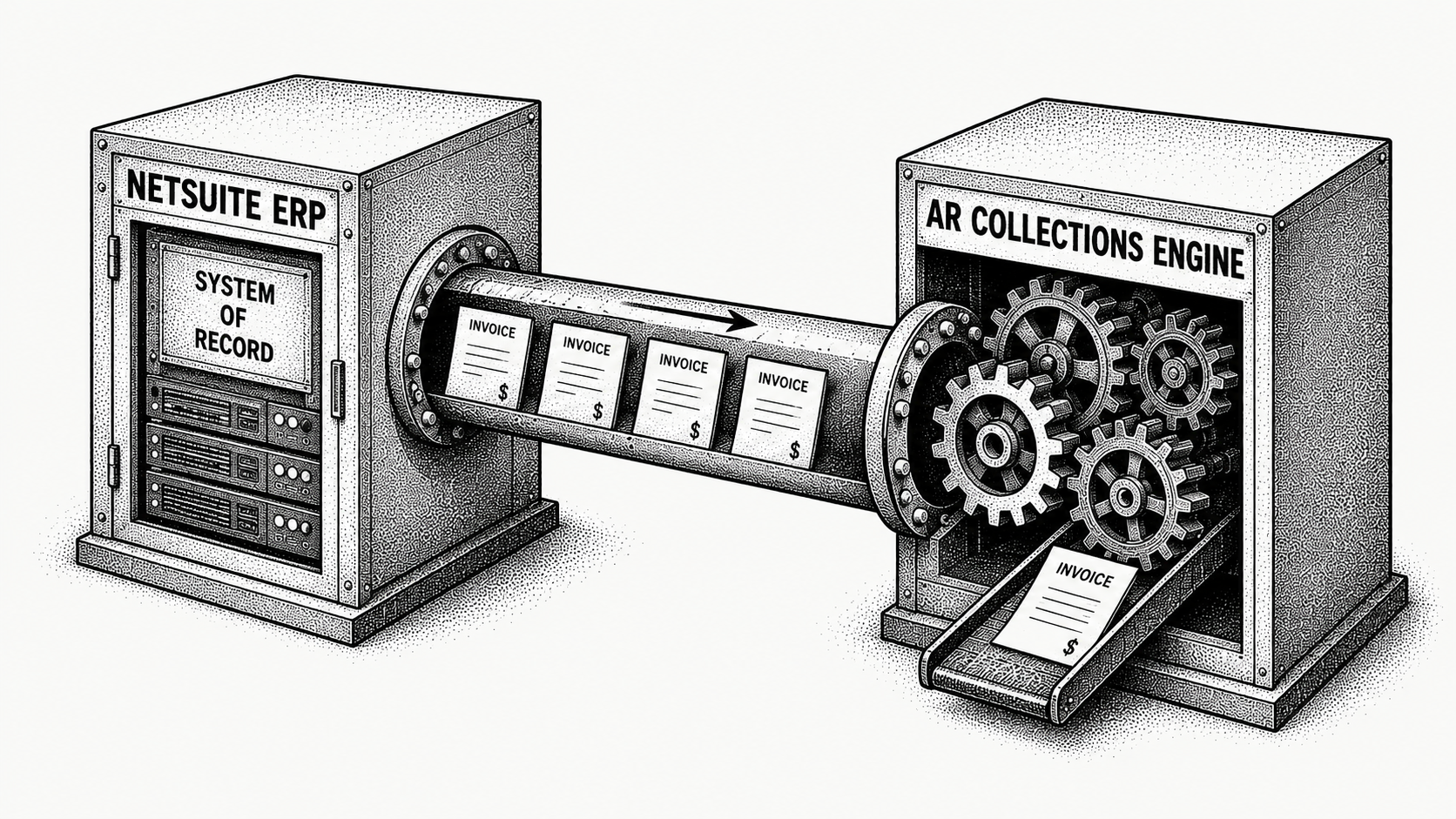
The best AR automation for NetSuite sits on top of the ERP, syncs invoices, payments, and credit memos both ways, and handles the collection work NetSuite does not: intent-aware follow-up, AP-portal submission, and accurate cash application. NetSuite records receivables well but stops short of collecting them. Monk is the AI-native invoice-to-cash platform built to sit on NetSuite and close that gap, going live in 1 to 3 days with no rip-and-replace. This guide covers what to look for and where Monk fits.
Why is AR automation for NetSuite different?
NetSuite is a capable ERP, and for many teams it is the system of record. But its native AR tools stop at recording invoices and sending basic reminders. The work that actually moves cash, chasing payment with context, submitting to customer AP portals, and matching messy remittances back to invoices, sits outside what NetSuite does well.
That gap usually gets filled by people. A finance team exports aging reports, logs into portals by hand, and reconciles payments in spreadsheets, then keys the results back into NetSuite. The best AR automation for NetSuite closes that gap by sitting on top of the ERP, syncing both ways, and running the collection and cash work automatically, without replacing the system you already rely on.
What does NetSuite AR look like without an added layer?
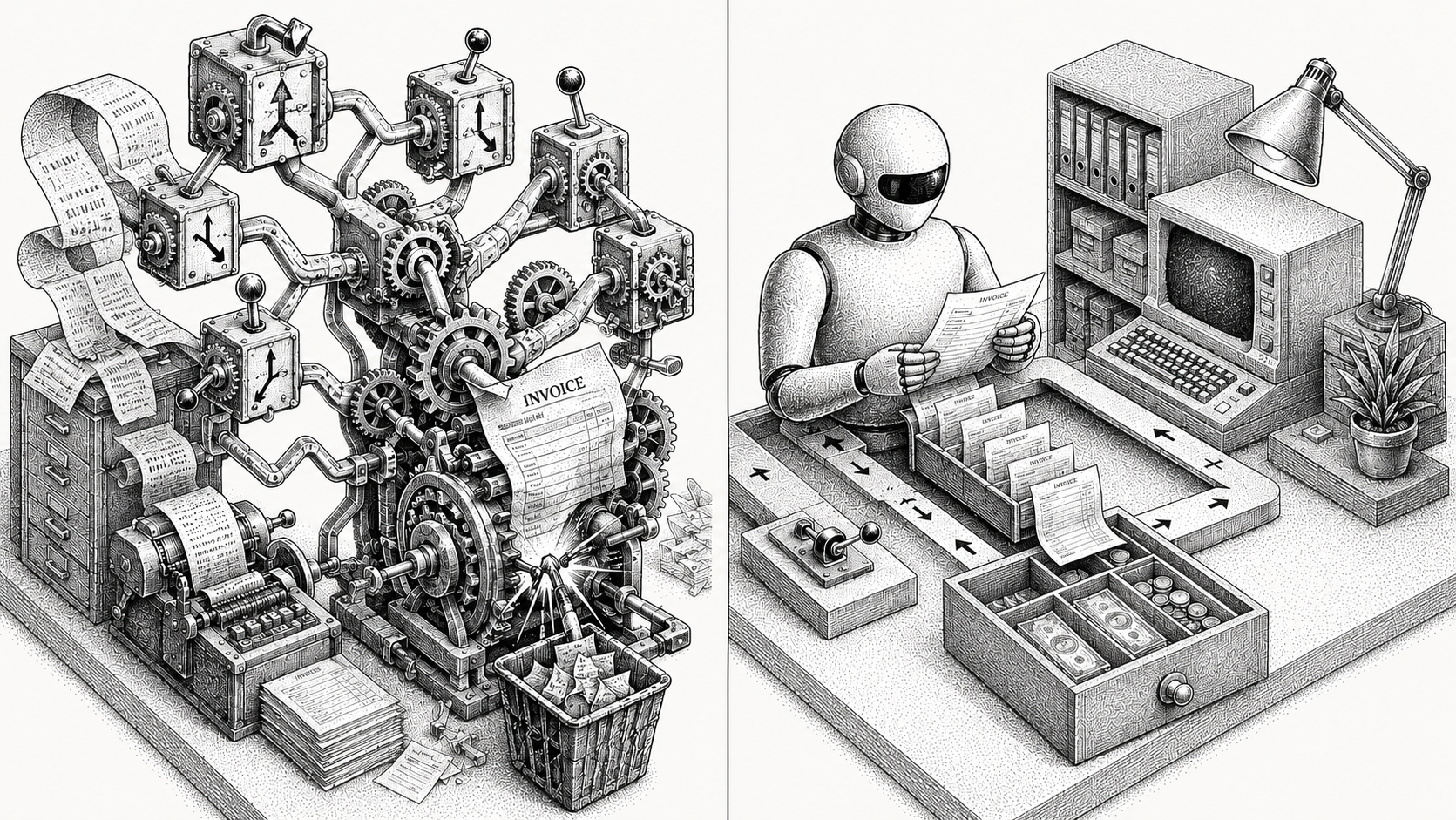
A controller running AR on native NetSuite alone starts each week in the aging saved search, deciding who to chase. NetSuite can send a templated reminder, but it cannot read the customer's reply, adjust tone, or follow up based on what was actually said, so a person picks up every conversation from there. When a customer requires invoices through Coupa or Ariba, someone logs in and uploads them manually, then tracks status outside NetSuite entirely.
Cash application is the heaviest manual load. Payments arrive as lump sums with remittances that reference purchase orders instead of invoice numbers, and NetSuite's matching handles the clean ones and leaves the rest. The team reconciles the remainder in a spreadsheet and keys the applied payments back in, which means the aging report is only as current as the last manual reconciliation. The system of record is accurate, but it lags reality by days, and the people keeping it accurate are doing work software should do.
What to look for in AR automation for NetSuite
Native, bidirectional sync
Invoices, payments, and credit memos should flow both ways automatically, so NetSuite stays the accurate source of truth without manual re-keying. Monk's native integrations keep that sync running across your stack.
Intent-aware collections
Follow-up should read inbound replies and respond to context, not run a fixed dunning cadence that ignores what the customer actually said. Monk's intelligent collections ingest the context of each conversation and produce a 24% higher response rate than standard dunning.
Automated AP-portal submission
Many customers pay only through portals. Submission to AP portals like Coupa and Ariba, and custom systems, should be automatic, not a manual queue worked outside the ERP.
Cash application that writes back cleanly
AI matching should apply incoming cash to the right invoice and write the result back to NetSuite, so the aging report is always current. Monk reaches an 80% automatic cash application match rate, rising to 95% once teams enable suggested rules.
Fast go-live, no rip-and-replace
The layer should connect to NetSuite and be live in 1 to 3 days, with no need to add an AR team.
Monk versus the NetSuite status quo
| Capability | NetSuite native | Monk on NetSuite |
|---|---|---|
| Collections | Basic reminders | Reads replies for intent, 24% higher response rate |
| AP portal submission | Not covered | Coupa, Ariba, and others automated |
| Cash application | Manual matching | AI matching, 95% match rate, writes back |
| Sync | Not applicable | Bidirectional |
| Go-live | Not applicable | 1 to 3 days |
The contrast is not that NetSuite is weak, it is that NetSuite is built to record AR, not to work it. Monk adds the working layer on top, so the ERP keeps doing what it does well while the collection, portal, and matching work runs automatically, the same pattern as AR automation for QuickBooks.
Which NetSuite AR data matters most?
Because NetSuite is the system of record, the value of an automation layer comes down to how cleanly it reads from and writes to that record. The first thing to watch is sync integrity: invoices, payments, and credit memos must flow both ways without drift, or the ERP stops being trustworthy. The second is the cash application match rate written back to NetSuite, because every payment matched automatically is one a person does not key in by hand. The third is collections coverage against the NetSuite aging report, so no overdue balance sits without follow-up.
Monk is built around all three. It keeps a bidirectional sync with NetSuite so the ledger never drifts, applies cash at an 80% automatic match rate, rising to 95% with suggested rules and writes the result straight back, and runs intent-aware collections against the full open book. The result is a NetSuite aging report that finally reflects live reality, with the working capital improvement showing up as the 40% average reduction in DSO Monk customers see.
How does Monk fit NetSuite teams?
Monk is an AI-native invoice-to-cash platform that sits on top of NetSuite. Monk keeps invoices, payments, and credit memos in sync both ways, submits to AP portals like Coupa and Ariba, and applies cash back to NetSuite automatically. Julia, its agent for Intelligent Collections, reads inbound replies and responds to what the customer actually said rather than advancing a fixed sequence. You keep NetSuite as your ERP and add the collection, portal, and cash-application layer it lacks, with the aging report staying current because matching reaches a 95% rate rather than waiting on a person.
Monk manages $2B+ in receivables for its customers, who see a 40% average reduction in DSO and resolve 90% of collections with zero human intervention, while saving an average of 26 hours a month on AR work. Go-live takes 1 to 3 days, and Monk is SOC 2 Type II compliant, so financial data flowing between Monk and NetSuite is handled to a recognized security standard. Beyond NetSuite, Monk also integrates with QuickBooks Online, Salesforce, HubSpot, and Stripe, fitting the wider stack a finance team runs. Teams on other ERPs can read about AR automation for Acumatica for the same connect-not-replace approach.
How do you roll Monk out on NetSuite?
Connect Monk to NetSuite and let it run collections and cash application on your open book. Because the integration is handled for you and go-live takes 1 to 3 days, you can measure the DSO change on real receivables within a single cycle, with NetSuite still your source of truth. From the first cycle, follow-up reads replies instead of firing templates, portal submissions go out automatically, and cash is matched at an 80% automatic rate (up to 95% with suggested rules) and written straight back to NetSuite.
Because nothing is ripped out and the sync is bidirectional, the controller still works in the NetSuite they know, now with an aging report that reflects reality rather than the last manual reconciliation. That is the lowest-risk way to add what NetSuite's native AR leaves out, and it proves itself on the receivables you are already carrying. To weigh the wider field, see the best accounts receivable automation software in 2026.
In practice, a NetSuite team running this pilot typically sees three changes inside the first reporting cycle. The hours the controller spent in saved searches and reconciliation spreadsheets drop sharply, since Monk handles follow-up and matching automatically. Invoices that customers require through Coupa or Ariba stop waiting on a manual upload. And the DSO that NetSuite reports begins to move, because cash is being collected and applied faster than the manual process allowed. Those three together are what make the case for rolling Monk across the full book rather than a single segment.
Which AR automation tools work with NetSuite?
Monk builds AR software, so read this as a vendor's list and check it yourself. We included tools that connect to NetSuite, serve B2B invoicing rather than consumer billing, and publish enough detail to describe fairly. Capabilities move quickly, so confirm current coverage with each vendor before you buy.
| Tool | Best for | Consider |
|---|---|---|
| Monk | AI-native invoice-to-cash for B2B teams that want reply-aware collections, cash application and AP portal submission on top of NetSuite. | Built around B2B invoicing. Teams whose receivables are mostly consumer card subscriptions will use less of it. |
| HighRadius | Large enterprises buying a broad order-to-cash suite across many modules. | Scoped and priced for enterprise AR organisations, so fit depends on team size and timeline. |
| Billtrust | Enterprise AR departments wanting invoicing, payments and cash application from one vendor. | Built for larger AR organisations, so weigh it against your team size. |
| Versapay | Teams that want AR and payment acceptance together, with a buyer-facing collaboration portal. | The collaboration model works best once your customers adopt the portal. |
| Centime | Teams wanting AR, AP and cash forecasting bundled together. | Bundling suits some teams and adds scope for others, so scope it against the systems you already run. |
The dividing line for most NetSuite teams is how much of the chain a tool covers. Sending reminders is the easy part. Getting an invoice into a customer's AP portal, reading the reply that comes back and matching the payment when it lands is where the hours go. Monk runs all three, submits into more than 600 corporate AP portals with 87% uploaded autonomously, and resolves 90% of collections without a person stepping in.
Frequently asked questions
Does Monk replace NetSuite?
No. Monk sits on top of NetSuite and syncs both ways. You keep NetSuite as your ERP and add the collections, AP-portal, and cash-application layer it does not cover.
Does Monk write cash application back to NetSuite?
Yes. Monk matches incoming payments to invoices at an 80% automatic rate (up to 95% with suggested rules) and updates NetSuite automatically, so your aging report stays accurate without manual reconciliation.
How long does it take to connect Monk to NetSuite?
Most teams are live in 1 to 3 days, and Monk handles the integration. Monk is SOC 2 Type II compliant, so the data flowing between the two systems is handled securely.
Do I need an AR team to run it?
No. Monk automates the routine collections and matching work so a lean finance team can scale without new AR hires. Customers save an average of 26 hours a month.
What results do NetSuite customers see?
A 40% average reduction in DSO and 90% of collections resolved with zero human intervention. Intelligent collections also produce a 24% higher response rate than standard dunning.
Which AR automation tools integrate with NetSuite?
NetSuite users can choose from several AR and collections tools, including Monk, HighRadius, Billtrust, Versapay and Centime. Monk is the AI-native option, adding reply-aware collections, cash application and submission into more than 600 corporate AP portals while NetSuite stays your system of record.
Related guides: Salesforce AR Automation: From Deal to Cash, Best AR Automation for Manufacturers in 2026, Best AR Automation for Small Business in 2026, Best AR Automation for Wholesale & Distribution in 2026, AR Automation for Acumatica and Monk Now Integrates with Rillet.




.avif)